Types of Web Hosting: 10 Solutions to Choose From (Expert Explains)
The main types of web hosting are shared, managed, VPS, dedicated, and cloud hosting. Each is designed for different website needs and traffic levels. There are also specialized solutions that I’ll explain in this article.
I’m Metodi Drenovski, and I’ve spent 20+ years building hosting platforms and supporting online businesses. I’ve seen firsthand how the right hosting choice can make or break a website’s success.
Choosing the wrong hosting type is like buying a sports car when you need a truck. You’ll either waste money on features you don’t need or struggle with limitations that hold you back. The hosting type you select directly impacts your website’s speed, security, and ability to handle traffic.
By the end of this article, you’ll know exactly which hosting type fits your needs. I’ll walk you through each option, explain when to use them, and help you make a confident decision based on your specific situation.
Key Takeaways
- Shared hosting works best for new websites with under 10,000 monthly visitors.
- VPS and cloud hosting provide scalability for growing businesses with variable traffic.
- Specialized hosting for WordPress and WooCommerce optimizes performance for these specific platforms.
- Dedicated servers offer maximum control for high-traffic sites exceeding 500,000 visits.
- Your technical skills and budget should guide your hosting decision as much as traffic.
What Is Web Hosting?
Web hosting is the service that makes your website accessible on the internet. Think of it as renting space on a server—a powerful computer that stores your website’s files and delivers them to visitors 24/7.
Different types of web hosting exist because websites have vastly different needs. A personal blog doesn’t require the same resources as a high-traffic ecommerce store. Hosting providers offer various options to match these diverse requirements while keeping costs reasonable.
Key Factors That Determine Hosting Needs
Before diving into specific types, you need to understand what drives your hosting requirements:
- Website traffic volume: Monthly visitor counts determine how much server power you need.
- Technical requirements: Your platform (WordPress, custom code) and specific features affect hosting choices.
- Growth projections: Your expected traffic growth over the next 6–12 months matters.
- Security needs: eCommerce and sites handling sensitive data require enhanced protection.
- Budget considerations: Hosting costs range from a few dollars to thousands per month.
Enjoy powerful, reliable hosting you can trust, at prices you’d love.
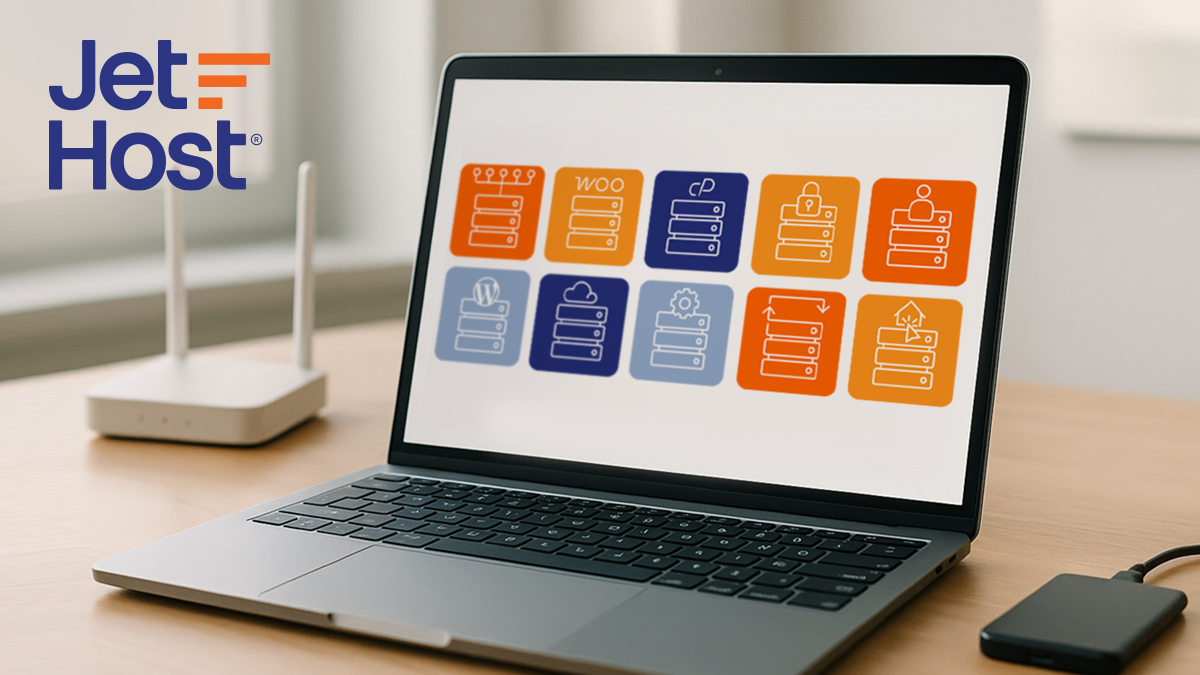
The 10 Main Types of Web Hosting Explained
Let me explain the different types of web hosting in detail so you can understand which one matches your situation.
1. Shared Hosting
Shared hosting means multiple websites live on one physical server and share its resources—CPU, RAM, and storage space. Think of it like an apartment building where everyone shares the same infrastructure.
Best For:
- New websites and personal blogs
- Small businesses with low traffic
- Budget-conscious users
- WordPress beginners
Pros:
- Most affordable option
- Beginner-friendly interfaces
- Managed maintenance
- Quick setup
Cons:
- Limited resources
- Performance affected by other sites
- Less control and customization
- Security vulnerabilities
Typical Pricing: $2–$10/month
When to Choose: You’re starting out with a new website or blog and expect under 10,000 monthly visitors.
2. Hosting for WordPress
The specialized hosting for WordPress provides an environment optimized specifically for WordPress websites. The server comes pre-configured with WordPress-friendly settings, caching tools, and security measures tailored to the platform.
Best For:
- WordPress bloggers and content creators
- Small to medium businesses using WordPress
- Users who want better performance than basic shared hosting
- Those who prefer automatic updates and security patches
Pros:
- Optimized WordPress performance
- Automatic updates and backups
- Enhanced security for WordPress-specific threats
- Built-in caching for speed
- Beginner-friendly dashboards
Cons:
- Slightly more expensive than generic shared hosting
- Only suitable for WordPress sites
- Limited control over server settings
- Resource limits on lower-tier plans
Typical Pricing: $5–$20/month
When to Choose: Your WordPress site has 10,000–50,000 monthly visitors, and you want improved performance and reliability.
3. Hosting for WooCommerce
Hosting for WooCommerce is designed specifically for online stores built on WordPress. It’s optimized for product catalogs, payment transactions, and heavy plugin usage common in ecommerce sites.
Best For:
- Online stores built on WordPress
- Businesses expecting medium to high traffic
- Stores with many plugins or products
- Users who want ecommerce-ready performance
Pros:
- Optimized for WooCommerce speed and stability
- Enhanced security for payment processing
- Pre-installed WooCommerce and store tools
- Scalable performance for growing stores
- Priority support for shop-related issues
Cons:
- More expensive than standard hosting for WordPress
- Requires more resources due to dynamic data
- May limit some custom configurations
- Not suitable if you’re not running WooCommerce
Typical Pricing: $15–$50/month
When to Choose: Your store has 20,000–100,000+ monthly visitors and handles regular transactions.
4. VPS (Virtual Private Server) Hosting
Understanding types of web hosting and their differences becomes crucial when your site outgrows shared hosting.
VPS hosting creates a virtualized server environment where you get dedicated resources within shared physical hardware. Think of it like owning a condo—you have your own private space with dedicated resources, but you still share the building’s infrastructure.
Best For:
- Growing websites
- eCommerce sites needing consistent performance
- Developers requiring root access
- Sites with 10,000–100,000+ monthly visitors
Pros:
- More resources and control than shared hosting
- Better performance since resources aren’t affected by neighbors
- Root access for custom configurations
- Scalable resources
Cons:
- Requires technical knowledge
- More expensive than shared hosting
- Still shares a physical server
- Self-management responsibility
Typical Pricing: $20–$100/month
When to Choose: You’re experiencing 10,000–100,000+ monthly visitors and need consistent performance that shared hosting can’t provide.
5. cPanel Hosting
cPanel hosting gives you a hosting environment managed through the cPanel dashboard. This industry-standard control panel provides full control over files, databases, domains, and email accounts.
Best For:
- Users who want full control without needing a VPS
- Developers or advanced users
- Businesses managing multiple domains
- Website owners needing flexibility
Pros:
- Full control over hosting settings
- Easy management of email, domains, files, and databases
- Supports many CMS platforms
- Wide compatibility with add-ons
- Familiar interface widely used
Cons:
- Can be overwhelming for beginners
- More manual management
- Shared plans still have resource limits
- Security depends on proper configuration
Typical Pricing: $5–$15/month
When to Choose: You want control and flexibility, plan to manage multiple sites, or prefer handling technical settings via a powerful interface.
For more details on this particular control panel, see our article on what cPanel hosting is.
6. Dedicated Server Hosting
Dedicated server hosting means you rent an entire physical server exclusively for your website. It’s like owning your own house—you control everything about the property.
Best For:
- High-traffic websites
- Large ecommerce platforms
- Applications requiring maximum performance
- Organizations with strict security needs
Pros:
- Maximum performance and control
- Enhanced security
- Customizable hardware
- No resource sharing
Cons:
- Most expensive option
- Requires significant technical expertise
- Full maintenance responsibility
- Overkill for small sites
Typical Pricing: $100–$500+/month
When to Choose: You’re handling 500,000+ monthly visitors or running mission-critical applications where downtime costs thousands per hour.
7. Cloud Hosting
Cloud hosting uses a network of connected servers working together rather than a single physical machine. Your website’s resources are distributed across multiple servers in a data center.
Best For:
- Websites with variable traffic patterns
- Businesses requiring high uptime
- Scalable applications
- Growing companies
Pros:
- Excellent scalability
- High reliability and uptime
- Pay-for-what-you-use pricing
- Geographic distribution improves speed
Cons:
- Complex pricing structure
- Requires technical understanding
- Potential for unexpected costs
- Less predictable performance
Typical Pricing: $10–$200+/month (variable)
When to Choose: You have unpredictable traffic patterns or need guaranteed 99.9%+ uptime.
8. Managed Hosting
Managed hosting is a fully handled service where the hosting provider takes care of all technical tasks—updates, security, performance optimization, backups, and server maintenance.
Best For:
- Businesses that don’t want to manage technical tasks
- High-traffic websites needing reliable performance
- Agencies managing multiple client sites
- Users who want peace of mind
Pros:
- Provider handles all updates and maintenance
- High security with proactive monitoring
- Superior performance and uptime
- Expert technical support 24/7
- Automated backups
Cons:
- More expensive than standard hosting
- Less control over low-level settings
- Custom installations sometimes restricted
- Typically tied to specific platforms
Typical Pricing: $20–$100+/month
When to Choose: You want a hands-off solution with maximum reliability and expert management.
9. Reseller Hosting
Reseller hosting provides a large hosting account that you can divide and resell to your own clients. You become a hosting provider yourself, managing multiple websites under your brand.
Best For:
- Web developers and agencies
- Entrepreneurs starting a hosting business
- Managing multiple client websites
Pros:
- Generate additional revenue
- Manage multiple sites efficiently
- White-label options
- Bulk pricing advantages
Cons:
- Requires business management skills
- Technical support responsibility
- Limited by main hosting provider
- Competitive market
Typical Pricing: $25–$100/month
When to Choose: You’re managing 10+ client websites and want to streamline operations.
10. Colocation Hosting
Colocation means you own the physical server hardware, but you rent space in a professional data center. The facility provides power, cooling, internet connectivity, and physical security.
Best For:
- Large enterprises
- Organizations with existing hardware
- Businesses requiring maximum control
- Companies with strict compliance needs
Pros:
- Complete hardware control
- Cost-effective for owned equipment
- Enhanced security in professional facilities
- Predictable costs
Cons:
- Requires significant upfront investment
- Technical expertise essential
- Hardware maintenance responsibility
- Not suitable for small businesses
Typical Pricing: $100–$1,000+/month (plus hardware costs)
When to Choose: You have enterprise-level needs and existing hardware investments.
Web Hosting Types Comparison Table
Here’s a quick reference comparing the different types of web hosting:
| Hosting Type | Best For | Monthly Pricing | Traffic Capacity | Technical Skills |
| Shared Hosting | New websites, blogs | $2–$10 | Up to 10,000 visitors | Beginner |
| Hosting for WordPress | WordPress sites | $5–$20 | 10,000–50,000 visitors | Beginner to Intermediate |
| Hosting for WooCommerce | Online stores | $15–$50 | 20,000–100,000+ visitors | Beginner to Intermediate |
| VPS Hosting | Growing businesses | $20–$100 | 10,000–100,000+ visitors | Intermediate to Advanced |
| cPanel Hosting | Multiple sites | $5–$15 | Varies by plan | Intermediate |
| Dedicated Hosting | High-traffic sites | $100–$500+ | 500,000+ visitors | Advanced |
| Cloud Hosting | Variable traffic | $10–$200+ | Unlimited scalability | Intermediate to Advanced |
| Managed Hosting | Hands-off operation | $20–$100+ | 50,000–500,000+ visitors | Beginner to Intermediate |
| Reseller Hosting | Managing client sites | $25–$100 | Varies by allocation | Intermediate |
| Colocation Hosting | Enterprise needs | $100–$1,000+ | Custom | Expert |
How to Choose the Right Hosting Type
Now that I’ve explained the types of web hosting, let’s talk about making the right choice for your specific situation.
Assessment Framework
Start by honestly evaluating your current needs:
- Current website needs: What platform are you using? WordPress, custom code, or an ecommerce platform? Your platform choice narrows down suitable hosting types.
- Traffic volume: Check your analytics. How many visitors do you get monthly? Be realistic—most new sites start with hundreds, not thousands, of visitors.
- Technical skills: Can you manage server configurations? Your technical comfort level determines whether you need managed services or can handle VPS options.
- Budget: What can you afford monthly without straining your business finances? Remember that hosting is an ongoing cost.
- Growth projections: Where do you realistically expect to be in 6–12 months? Planning for reasonable growth prevents frequent migrations.
Decision Tree
Follow this simple path:
- Are you just starting out? → Shared hosting or hosting for WordPress
- Do you run an online store? → WooCommerce hosting or VPS hosting
- Do you need complete control? → VPS, dedicated, or cPanel hosting
- Is your traffic unpredictable? → Cloud hosting
- Do you want hands-off management? → Managed hosting for WordPress
- Are you managing client sites? → Reseller hosting
- Do you have enterprise requirements? → Dedicated server hosting or colocation
Common Scenarios
Here are some scenarios that will help with picking a hosting option:
- Personal blog: You’re starting a blog about your hobby with maybe 1,000 visitors per month. Shared hosting is perfect. It’s cost-effective and provides everything you need.
- Small business website: You run a local business needing a professional website with 5,000–15,000 monthly visitors. Shared hosting or managed hosting for WordPress work well.
- Growing ecommerce: Your online store is processing 50–100 orders weekly with 25,000–50,000 monthly visitors. VPS hosting or cloud hosting provides the scalability your customers expect.
- High-traffic site: Your website attracts 500,000+ monthly visitors. Dedicated server hosting or enterprise cloud hosting becomes necessary.
- Multiple client sites: You’re managing 15 client websites. Reseller hosting streamlines operations and generates additional revenue.
Hidden Costs to Consider
Watch out for these common hidden costs:
- Domain registration fees: Many providers advertise “free domain” but only include it for the first year. Renewal costs $10–$20 annually.
- SSL certificate fees: SSL certificates should be included free with modern hosting. Security isn’t optional.
- Backup restoration fees: Some hosts charge extra to restore backups when you need them most.
- Migration fees: Moving an existing website can cost $50–$150 if the provider charges for migration services.
- Renewal rate increases: That $2.99/month introductory rate often jumps to $10–$15/month upon renewal. Always check renewal pricing.
The Bottom Line
Start with hosting that matches your current situation rather than overpaying for capacity you won’t use for years.
The types of web hosting explained in this guide give you the foundation to make an informed decision.
- Shared hosting works perfectly for new websites.
- Hosting for WordPress and WooCommerce optimizes performance for specific platforms.
- VPS and cloud hosting provide scalability for growing businesses.
- Dedicated servers deliver maximum power for high-traffic sites.
My 22 years in this industry have shown me that this fundamental principle works: Choose hosting that provides the performance, security, and support your website needs today while allowing room to grow tomorrow.
Looking for website hosting that you can trust?