



How to Test JetHost AI Site Builder for Free (7-Day Trial)
Want to see how your new website will look before choosing a hosting plan? With our new 7-day free AI Site Builder trial, you can generate a fully functional demo of your project in just minutes. No risk. No technical skills required.
Start your free trial
Visit jethost.com and go to AI Website Builder. This will take you directly to our intelligent assistant interface, where your website creation begins.
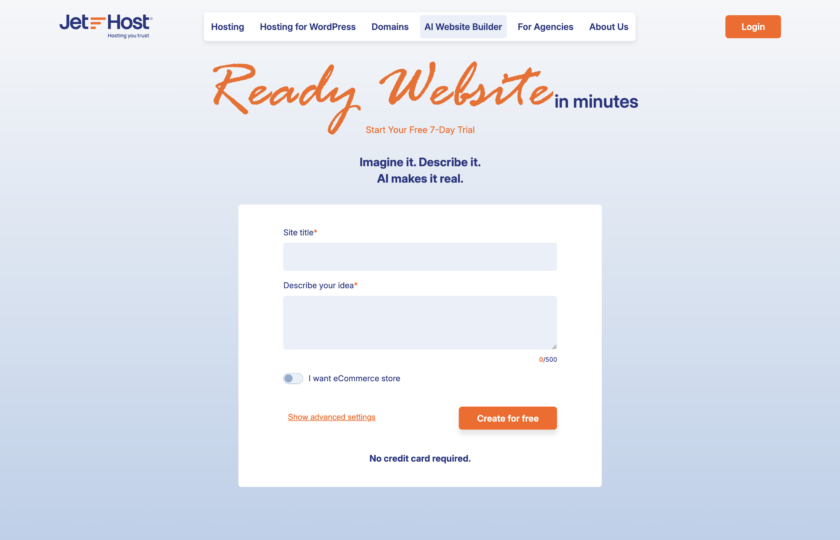
Describe your idea
The first step is to define the direction of your project. The AI needs basic information about your business to generate the most suitable structure and content.
There’s no need to write long or complex texts – the AI is trained to understand short, clear instructions and generate professional content for you.
If you plan to sell products, make sure to select “I want eCommerce store.” This ensures that the system automatically installs the necessary tools (like WooCommerce) and appropriate eCommerce themes.
Use Advanced Settings
For more control over the final result, click “Show advanced settings.” Here you can refine core website elements:
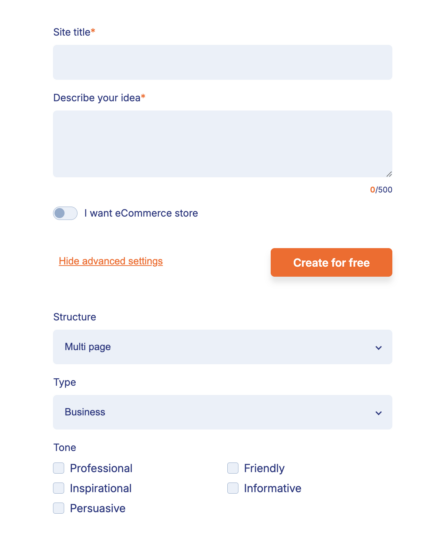
When ready, click “Create for free” button.
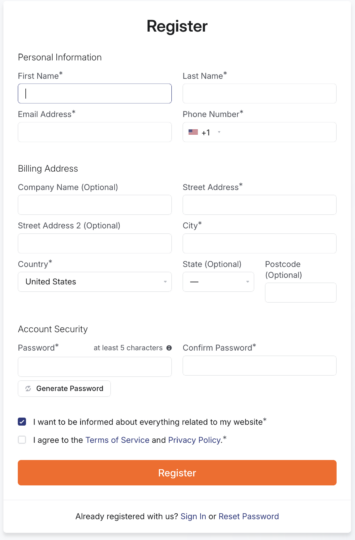
Create your profile
To save your demo website and access it during the 7-day trial period, you need an active JetHost account.
Let AI build the magic
Once you confirm your details, the AI starts building your website.
Within seconds, the system:
You will then be redirected to the “Choose your website design” screen. Select your preferred visual style (don’t worry, everything can be changed later).
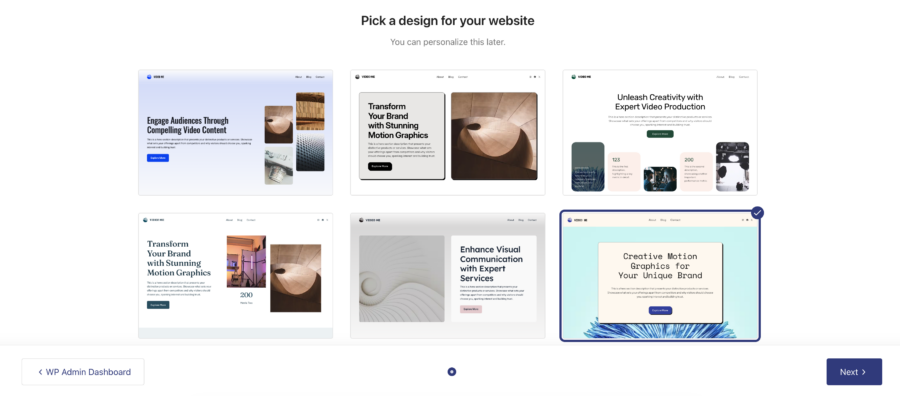
After clicking “Next,” the system applies the design, inserts the content, and installs the necessary plugins.
Important: If you selected the online store option, the process may take slightly longer due to additional configuration.
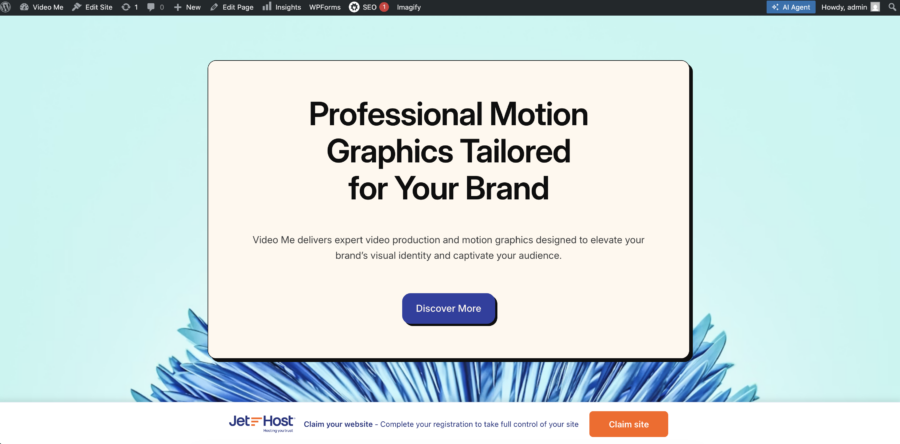
Your website is now created! You will also have access to an AI assistant for further adjustments and questions.
What happens next?
Your trial is valid for 7 days. During this time, you can explore and test your website.
Ready to go live? To keep your generated website and start using it officially, click the “Claim your site” button to activate your AI Start plan.
What You Get with AI Start:
Need help?
If you have questions about saving your website or about the AI Start plan features, contact us. The JetHost team is available to assist you in real time.










