



What are private DNS
Private DNS – also called private Nameservers – are nameservers that carry your own domain name instead of your hosting provider’s. In this article, we explain what private DNS is, why you might want it, and how to set it up in the JetHost DNS Manager.
What are private nameservers?
When you buy hosting, you point your domain to the provider’s nameservers, which usually look like this:
ns1.jethost.com
ns2.jethost.com
With private DNS, you use nameservers named after your own domain instead:
ns1.yourdomain.com
ns2.yourdomain.com
Why use private DNS?
Private nameservers make sense when you run your own DNS server – for example on a VPS or dedicated server with nameserver software installed. Instead of pointing your domain at a provider’s nameservers, you serve DNS yourself and brand those nameservers under your own domain. If you do run your own DNS server, private nameservers let your clients see nameservers with your name on them, which builds trust and gives a professional, established impression. And, let’s be honest, it just looks great.
Set up private DNS at JetHost
At JetHost, private DNS is free and fully self-service – there is nothing to order. You create private nameservers in the DNS Manager, on the Child NS tab. A child nameserver (also called a glue record) registers a host like ns1.yourdomain.com and links it to an IP address at the registry.
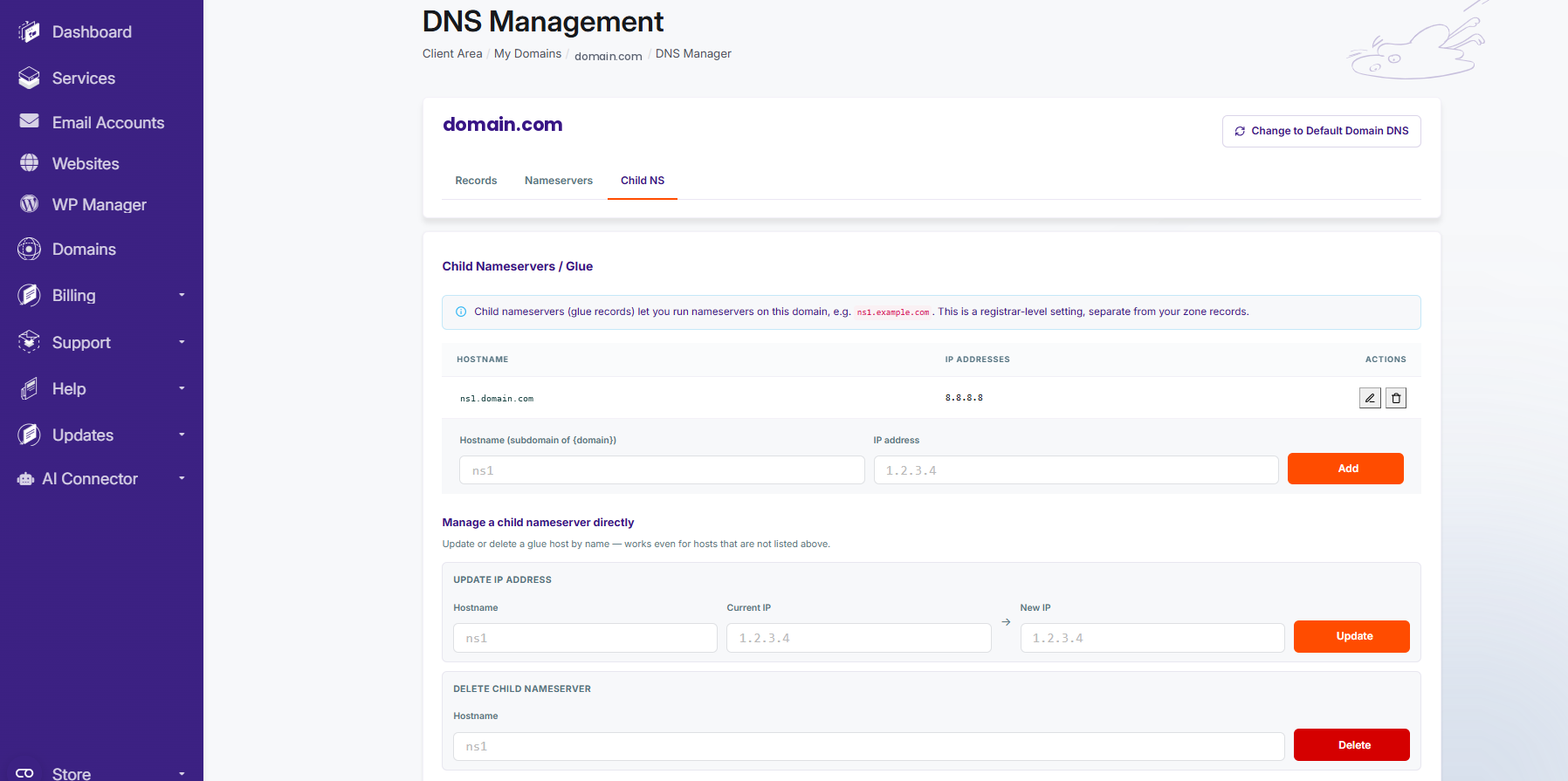
- Open the DNS Manager for your domain and go to the Child NS tab.
- In Hostname, enter
ns1; in IP address, enter your server’s IP. Click Add. - Repeat for
ns2with the same or a second IP. - Go to the Nameservers tab and set the domain’s nameservers to
ns1.yourdomain.comandns2.yourdomain.com, then save.
Because child nameservers are a registrar-level setting, they are separate from your zone records. After saving, allow up to 24–48 hours for the change to propagate.
Need more help?
For related steps, see how to change nameservers and where to find your nameservers. To run your own DNS server, you will need root access – take a look at JetHost VPS.













