The best providers of secure hosting for WordPress (WP) are JetHost, Kinsta, and Hosting.com, followed by SiteGround and WPX.
We compared these five providers based on their security features, hosting infrastructure, and real-world value for WordPress website owners. Each of them filters malicious traffic with a firewall before it reaches your site, scans for malware, and runs automatic backups you can restore in a few clicks.
The differences are in the price, backup history, and which protections come built in or cost extra.
Why Does WordPress Security Matter for Your Website?
WordPress security matters because vulnerabilities in plugins, themes, core software, or hosting infrastructure can take your site offline, expose customer data, or trigger browser warnings for visitors. A security breach can also damage your search rankings, redirect users to malicious pages, and harm your reputation.
Secure hosting helps reduce these risks by combining firewalls, malware scanning, automatic backups, and recovery tools that protect your website and keep your business running.
These figures from Patchstack’s State of WordPress Security in 2026 report show the scale of the risk:
- 11,334 new WordPress vulnerabilities were found in 2025, a 42% increase, with 91% found in plugins and 9% in themes.
- 46% of vulnerabilities remained unresolved before public disclosure.
- Heavily exploited vulnerabilities are targeted within 5 hours after disclosure.
- Traditional hosting defenses blocked only 12% of WordPress-specific vulnerability attacks.
Secure WP hosting answers these risks with protection at 3 layers:
- Your host patches server software, isolates accounts, and stores backups away from your site files.
- A security plugin runs inside WordPress, so it reacts only after a request arrives.
- A server-level Web Application Firewall (WAF) filters malicious requests earlier and keeps attack traffic from eating your resources.
Why Traditional WP Security Can Miss Plugin Exploits
Many plugin exploits look like normal logged-in traffic, making them difficult for traditional defenses to detect. Dedicated vulnerability protection fills this gap by addressing 3 key WordPress security threats:
- Plugin and theme vulnerabilities: Patchstack applies virtual patches in real time, even before an official update exists.
- Zero-day threats: Its research team looks for new flaws in plugin and theme code and coordinates disclosures with more than 1,000 plugin vendors.
- Common attacks: Automatic rules block remote code execution, SQL injection, XSS, and other known exploits.
JetHost offers Patchstack inside WP Manager. The WP Business plan includes Patchstack protection for one domain of your choice for as long as your hosting plan stays active. On every other plan, you can add it for $3.99/month per domain from your client profile.
Who Provides the Most Secure Hosting for WordPress?
The table below lines up the most secure hosting providers for WordPress by protection, backup history, and SSL coverage.
| WP Hosting Provider | Starting Price | Security Features | Backups | SSL |
|---|---|---|---|---|
| 1. JetHost | $1.99/month | DDoS mitigation, web firewall, malware and virus protection, automatic updates, Patchstack protection available | Weekly or daily, depending on plan | Free SSL on all plans |
| 2. Kinsta | $30/month, billed annually | Firewall, Enterprise DDoS protection, bot protection, free malware removal | Daily, minimum 14-day retention | Free SSL, wildcard support for managed plans |
| 3. Hosting.com | $4.49/month | Cloudflare Enterprise and Imunify360 firewalls, malware monitoring and cleanup | Daily, 14-day history | Free SSL |
| 4. SiteGround | $2.99/month | Smart firewall (WAF), AI-powered bot protection | Daily, 30-day history | Free SSL |
| 5. WPX | $14.99/month | Hybrid DDoS protection, brute-force protection, malware scans with free removal | Daily, 28-day history | Free SSL |
*Prices reflect 12-month billing for new customers and can change, so confirm the current rate on each provider’s site.
If you’re unsure which certificate type your site needs, read our guide on what SSL certificate you need.
1. JetHost: Best Secure Hosting for WordPress Overall
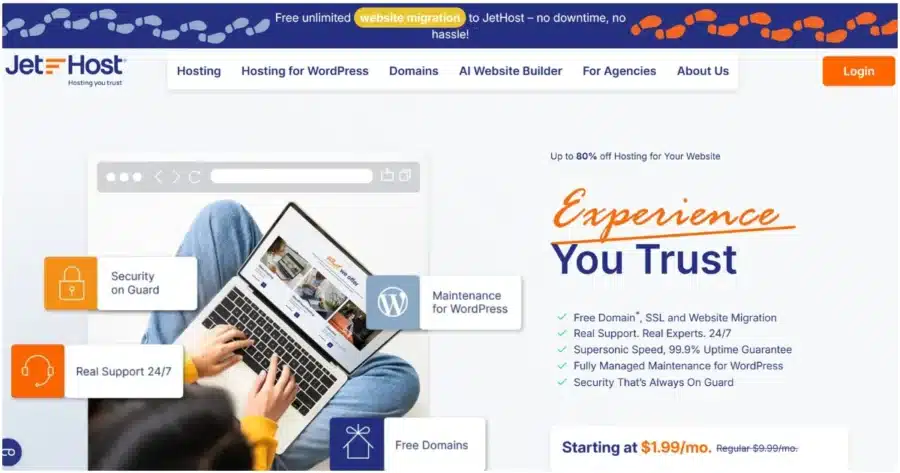
JetHost earns the top spot by combining server-side defenses, WordPress-specific security controls, and 24/7 support from real people.
WordPress plans start at $1.99/month, so strong protection doesn’t require a premium budget.
The WP Maverick plan carries JetHost’s Best Value tag and suits growing businesses, stores, and agencies. It includes 100 websites, 75 GB of Cloud NVMe storage, and 90,000 monthly visits. You pay $5.99/month for the first year, then renew at $21.99/month.
Every plan runs on LiteSpeed Enterprise servers and comes with a 99.9% uptime guarantee.
You can reach every security setting from cPanel, the hosting control panel for your account.
JetHost also moves your existing sites for you through free, unlimited website migration with no downtime.
The result is secure hosting for WordPress websites without a long setup checklist on your side.
Here’s how the four JetHost plans compare:
| Plan | Intro Price | Renewal Price | Websites | Storage | Backups |
|---|---|---|---|---|---|
| WP Mini | $1.99/month | $8.99/month | 1 | 10 GB NVMe | 1/week |
| WP Start | $2.99/month | $10.99/month | 25 | 25 GB NVMe | 3/week |
| WP Maverick | $5.99/month | $21.99/month | 100 | 75 GB NVMe | 7/week |
| WP Business | $10.99/month | $36.99/month | 150 | 200 GB NVMe | 7/week |
Key Security Features
- Real-time traffic filtering: A web firewall and DDoS mitigation block suspicious requests and common attacks before they reach your WordPress site.
- Malware protection: Imunify360 provides server-level malware scanning and threat detection, while JetHost also offers malware removal for infected sites.
- Virtual patching: Patchstack shields WordPress core, plugins, and themes from known vulnerabilities, including flaws that don’t have an official fix yet. WP Business plan includes it for one domain.
- WordPress security management: JetHost WordPress Manager includes Security Lock to prevent unauthorized file changes and automatic updates for core, plugins, and themes.
- Access protection: Two-factor authentication protects cPanel and Webmail, while IP Blocker lets you restrict unwanted visitors.
- Backups and SSL: Automatic weekly or daily backups are downloadable, while free Let’s Encrypt SSL certificates protect all domains and can be managed through HTTPS controls.
- Additional server protections: Hotlink Protection prevents other sites from using your files directly, while Leech Protection helps prevent abuse of password-protected areas.
JetHost Pros and Cons
| Pros | Cons |
|---|---|
| Virtual patching for WordPress core, plugins, and themes vulnerabilities, including flaws without official fixes | Patchstack costs $3.99/month per domain on plans below WP Business |
| Advanced security controls through cPanel—IP Blocker, two-factor authentication, SSL controls, and Security Lock | WP Mini keeps 1 backup per week; daily restore points start at WP Maverick |
| WordPress support expert accessible by chat, phone, or email 24/7 | Renewal rates rise after the first term |
Want your hosting to handle security while you focus on your business?
2. Kinsta: Best for Enterprise-Level Protection on Every Plan
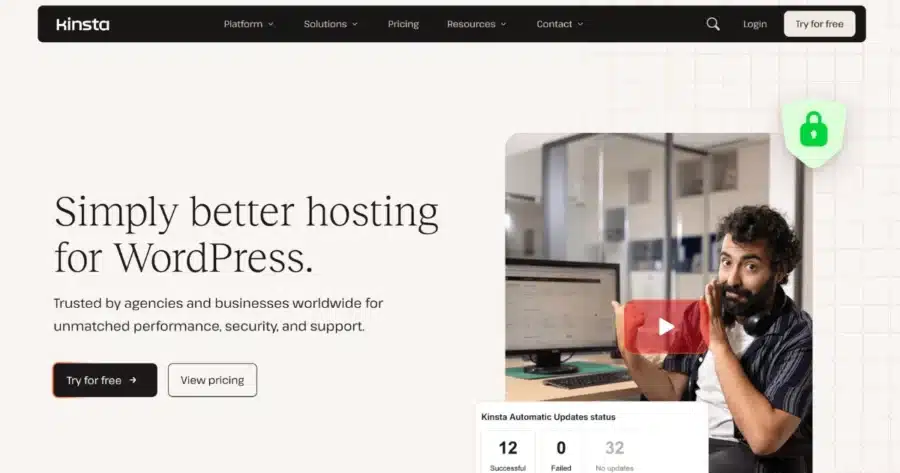
Kinsta is a premium managed host, and it gives every plan the same core security stack.
Its Business plan covers 1 WordPress install, 75,000 estimated monthly visits, and 15 GB of storage. It costs $30/month on annual billing, and new customers get the first month free.
Kinsta holds SOC 2 Type II and ISO 27001 certifications, which help buyers of secure managed hosting for WordPress meet vendor security requirements.
Key Security Features
- Firewall and DDoS protection: Kinsta protects sites with its firewall and Cloudflare integration, including enterprise-level DDoS protection.
- Isolated containers: Each site runs in its own isolated environment, helping prevent problems on another site from affecting yours.
- Bot Protection: You decide how automated traffic reaches your site and cut off abusive crawlers.
- Free malware removal: Kinsta specialists clean hacked sites at no extra cost for as long as you stay.
- Daily backups: Kinsta backs up every site each day and keeps 14 days of history on the Business plan.
- Wildcard SSL: Free certificates cover your main domain and its subdomains.
Kinsta Pros and Cons
| Pros | Cons |
|---|---|
| Core security protections are included across Kinsta’s plans | Pricing starts at $30/month when billed annually for one site |
| SOC 2 Type II and ISO 27001 certifications support enterprise security and compliance requirements | Traffic, storage, and CDN overages add fees |
| A compromised site elsewhere on the platform stays separate from yours | Backups every 6 hours cost $20/month per site |
To see what a managed plan should cover, read our guide on what managed hosting for WordPress is.
3. Hosting.com: Best for Two-Layer Firewall Protection

Hosting.com runs a managed platform built only for WordPress.
The Medium plan hosts one dedicated website with 50 GB of NVMe storage and room for 120,000 monthly visitors. You pay $4.99/month for the first year before it renews at $17.99/month.
The platform suits buyers who want the most secure managed hosting for WordPress without enterprise pricing.
Key Security Features
- Cloudflare Enterprise firewall: The edge firewall checks every request and blocks bots, SQL injections, and XSS attempts before they reach the server.
- Imunify360 server firewall: A second layer guards the application and server against brute-force attacks, zero-day exploits, and injection attempts.
- Continuous malware monitoring: Scans look for threats, backdoors, and suspicious behavior, then quarantine or remove anything malicious.
- Automatic updates: Hosting.com handles WordPress updates as part of its managed platform.
- Activity logs: You can track WordPress activity, including user, plugin, theme, and post changes, from the dashboard.
Hosting.com Pros and Cons
| Pros | Cons |
|---|---|
| Two firewall layers protect your site at the network edge and server level | The Small and Medium plans host only 1 dedicated WP website |
| Core firewall and malware protection are built in, so you don’t need a separate security plugin | Medium renews at more than double its first-year price |
| You can trace who changed what after something breaks | Backup history covers 14 days |
For more options in this price range, see our roundup of Hosting.com alternatives.
4. SiteGround: Best for AI Bot Blocking on a Budget

SiteGround runs on Google Cloud and gives every plan the same security tools, from StartUp to GoGeek.
The GrowBig plan hosts unlimited websites with 50 GB of storage. It costs $4.99/month for the first year and renews at $29.99/month.
SiteGround targets owners who want the most secure web hosting for WordPress at a low entry price.
Key Security Features
- AI anti-bot system: SiteGround’s AI spots and blocks fake traffic, stopping more than 1 million attacks per day.
- Smart WAF: SiteGround’s WAF automatically adapts its rules to new threats without manual updates.
- Daily malware scans: Scans catch infections early, and SiteGround removes malware for free.
- Isolated accounts: Each hosting account runs in its own space.
- Geo-distributed backups: SiteGround backs up your whole site daily and keeps 30 days of restore points.
- Auto-renewing SSL: SiteGround automatically installs free SSL certificates and keeps them renewed. Wildcard SSL can cover the main domain and its subdomains.
SiteGround Pros and Cons
| Pros | Cons |
|---|---|
| You get a full month of restore points even on the cheapest plan | GrowBig renews at about 6x its intro price |
| Core security protections are included across all three plans | Staging and on-demand backups start at GrowBig |
| You get 24/7 live support from SiteGround’s team |
5. WPX: Best for Hands-On Malware Cleanup
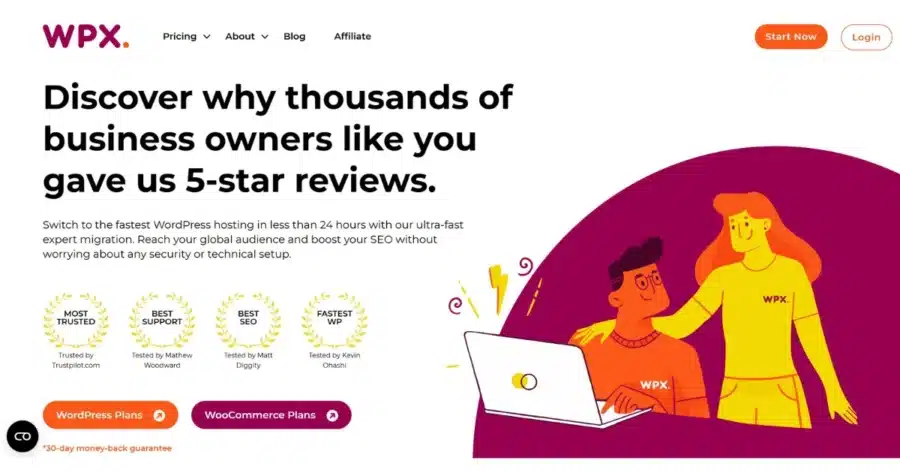
WPX stands out for hands-on malware cleanup, with daily scans and free expert assistance when infections occur.
WPX’s Business plan hosts up to 5 websites with 20 GB of SSD storage and unlimited visitors. It costs $24.99/month on annual billing and renews at $29.99/month.
WPX rounds out these top secure hosting for WordPress services with core protections on every plan and no security upsells.
Key Security Features
- Malware scans and free removal: The WPX team scans your sites and cleans infections without extra charges.
- Hybrid DDoS protection: WPX’s custom CDN switches between several DDoS mitigation services as conditions change.
- Brute-force protection: WPX blocks repeated login attempts before attackers guess a password.
- Daily backups: WPX keeps 28 days of automatic backups, and you can create on-demand copies before big changes.
- Free SSL certificates: Every plan comes with SSL for your domains.
WPX Pros and Cons
| Pros | Cons |
|---|---|
| You get a clean site back after an infection without hiring a freelancer | Storage is modest, with 20 GB on Business |
| Live chat has an advertised 30-second average response time | Pricing starts at $14.99/month, above budget hosts |
| 28 days of backups give you time to catch problems and restore your site |
How to Choose Secure Hosting for WordPress
Start by listing what the most secure hosting for WordPress service must include for your site, and compare plans against the list. Then, sort your options by three factors—security needs, website type, and security features.
Security Needs
- Basic protection: JetHost WP Start and SiteGround StartUp cover core security protection, malware scanning, and free SSL for smaller sites.
- Stronger protection: JetHost WP Business adds Patchstack virtual patching for one domain, and Hosting.com uses two firewall layers on every plan.
- Security and compliance requirements: Kinsta holds SOC 2 Type II and ISO 27001 certifications, which can support security and compliance reviews.
Website Type
- Small business or blog: JetHost WP Start or SiteGround StartUp.
- eCommerce and WooCommerce: JetHost hosting for WooCommerce or a Kinsta plan suited to your online store’s needs.
- Secure hosting for high-traffic WordPress sites: Kinsta’s plans scale up to 1,500,000 estimated monthly visits on the Lead plan.
- Agencies and multiple sites: JetHost WP Business with 150 sites, JetHost reseller hosting, or SiteGround GoGeek with white-label access.
Security Features
Check which plans include managed hosting for WordPress with strong defaults from day one, and which charge extra.
- Automatic backups: SiteGround keeps them for 30 days; WPX for 28 days.
- Firewall and DDoS protection: Kinsta and Hosting.com include firewall and DDoS protection across their plans.
- Malware protection: Kinsta, SiteGround, and WPX offer malware cleanup at no additional charge.
- Vulnerability monitoring: JetHost offers virtual patching through Patchstack.
Before you decide, compare JetHost hosting plans side by side.
The Bottom Line
Secure hosting for WordPress rests on layered defenses, quick malware cleanup, and backups you can restore fast.
Kinsta brings certified infrastructure at premium prices. Hosting.com and SiteGround deliver strong defaults for less, and WPX stands out for hands-on cleanup.
JetHost comes out on top by pairing server-side protection with WP Manager and 24/7 expert help from $1.99/month. Virtual patching and free migration let you move your sites over and keep them shielded from day one.
Pick a host that watches over your WordPress site around the clock.
FAQ
What makes hosting for WordPress secure?
Secure WP hosting protects your site at the server and network level. Look for a firewall, DDoS protection, malware scanning with removal, automatic updates, isolated accounts, daily backups, and free SSL. These layers stop attacks before they reach WordPress and help you recover when something slips through.
Do I need a security plugin if my host protects my site?
Your host covers threats plugins can’t see, such as network floods and server exploits. A plugin adds site-level controls, like login limits, two-factor authentication, or hiding your WordPress version. Running both works well when the plugin avoids duplicating your host’s firewall.
Is managed hosting more secure?
Yes, managed secure hosting for WordPress puts a team in charge of core updates, server patches, and threat monitoring. You still control passwords, user roles, and which plugins you install. Security varies by provider, so compare what each plan covers before you buy.
Does a firewall stop every attack?
No. A web application firewall (WAF) blocks known attack patterns, bad bots, and injection attempts. It can’t fix a weak admin password or a plugin you never update. Solid WordPress secure hosting pairs the firewall with backups, automatic updates, and malware scanning.


Top articles
Our Picks
- 6 minutes read
7 Signs It’s Time to Switch Your Web Hosting Provider
Most people don’t think about their hosting until something breaks. But if your website has been acting up – slower pages, random errors, or unreliable support – it might be…
- 4 minutes read
eDesign Interactive on Pressure, People & Creativity
Client: George, CEO of eDesign Interactive Industry: Web Design, Digital Strategy & Interactive Marketing Website: edesigninteractive.com Relationship: Long-time collaboration with the team behind JetHost
- 2 minutes read
Case Study: How SEO Rush Got 5x Faster with JetHost
Client: SEORUSH Industry: SEO & Digital Marketing Website: seorush.org Service: JetHost WordPress Hosting When you run an SEO agency, your website needs to perform as well as the results you…
Related Posts
 6 minutes read
166,000 Visits in One Day and Not a Single Sale
High traffic is usually good news for an online store. But when a site starts slowing down at the exact moment analytics show a huge spike in visits, the story…

- 13 minutes read
What Slows Down WordPress Admin? And How to Fix It Without Guesswork
A slow WordPress admin rarely has a mysterious cause. Most of the time it comes down to database bloat, plugin overhead, missing object caching, or hosting limits. Here’s how to…
-
12 minutes read
6 Best cPanel Hosting Providers Compared on Price, Limits, and Support
Looking for the best cPanel hosting in 2026? We compare 6 leading providers based on pricing, renewal rates, server resources, security, and support to help you choose the right hosting…