12 minutes read

The top hosting.com alternatives in 2026 are JetHost, Namecheap, DreamHost, Cloudways, and HostGator, ranked by overall value, performance, and long-term pricing transparency.
Hosting.com, the rebranded A2 Hosting, still has real technical credentials: AMD EPYC CPUs, NVMe storage, and LiteSpeed servers. That stack earned A2 a loyal following over two decades. Speed is still the standout, and for experienced users on higher-tier plans, it holds up. However, the rebrand didn’t come without flaws.
We went through user reviews online, and a clear pattern emerged. Renewal pricing is the single most common complaint. Long-term A2 users report a decline in support quality after the rebrand, such as weaker technical depth, longer wait times, and more unresolved tickets than before.
None of those complaints make Hosting.com a bad product for the right user. But they make a strong case for the Hosting.com replacements below, each of which addresses those gaps.
What Are the Top 5 Hosting.com Alternatives?
Evaluated across performance, pricing transparency, support quality, and usability, here are the top five providers worth considering:
- JetHost: The best overall choice. Human-first service, managed site tools, free unlimited migration, and a modern performance stack.
- Namecheap: Best for budget-conscious users who want cPanel shared hosting with a free domain and low long-term pricing.
- DreamHost: Best for reliability-focused users who want WordPress-optimized servers, NVMe storage, and in-house expertise.
- Cloudways: Best for agencies and developers who need scalable managed cloud hosting without per-site pricing.
- HostGator: Best for users who want WordPress pre-installed, built-in malware protection, and a familiar upgrade path.
Each provider is covered in full below. These are the best alternatives to Hosting.com available in 2026.
1. JetHost: Top Hosting.com Alternative

JetHost suits small businesses, WordPress users, WooCommerce stores, and agencies that want capable hosting without managing it themselves.
The JetHost hosting uniquely pairs strong infrastructure with a real support team and managed tooling in one dashboard. Its free unlimited migration makes it one of the most practical Hosting.com substitutes available.
Key Features
- LiteSpeed Enterprise, NVMe storage, HTTP/2 and HTTP/3, Redis, and Cloudflare CDN on relevant plans
- WordPress Manager in the client area: updates, backups, staging, SSL, and caching from one dashboard
- Patchstack integration for vulnerability scanning and proactive plugin protection
- Free, unlimited website and email migration with no downtime and no site count cap
- AI Website Builder that generates a full site from a business description
- 24/7 expert support from real people via chat, email, and phone
- JetHost Total Care plugin: free tool covering security, privacy, performance, and core site controls
- AI Connector that connects your JetHost account to your AI assistant (Claude, ChatGPT, Cursor, Loveble) through Model Context Protocol (MCP), which makes account management easier with prompts
Pricing
JetHost uses promotional first-term rates with disclosed renewal costs. Below is a breakdown of the available plans:
| Plan | Intro Price | Renews From | Key Specs |
|---|---|---|---|
| Mini | $1.99/month | $8.99/month | 1 website, 15,000 visits/month, 10GB NVMe, 1GB RAM |
| Start | $2.99/month | $10.99/month | 25 websites, 30,000 visits/month, 25GB NVMe, 2GB RAM |
| Maverick | $5.99/month | $21.99/month | 100 websites, 90,000 visits/month, 75GB NVMe, 3GB RAM |
| Business | $10.99/month | $36.99/month | 150 websites, 200,000 visits/month, 200GB NVMe, 4GB RAM |
Performance and Usability
JetHost runs LiteSpeed Enterprise alongside Redis, Cloudflare CDN, and NVMe storage, covering both server-side speed and edge delivery.
The security layer includes WAF, malware scanning, Imunify360, and Patchstack for CMS-level vulnerabilities. The client area consolidates installs, updates, staging, backups, and SSL in one place.
Pros
- Switching hosts usually means days of technical work or paying a developer. JetHost eliminates that friction through its free unlimited migration service.
- Most hosts at this price point require piecing together security, caching, staging, and scanning separately. JetHost bundles all of it, lowering the real cost of ownership.
Cons
- Certain features are tier-specific.
Looking for hosting that handles the technical side so you can focus on your business?
JetHost offers unbeatable rates on domain registration, transfers, and renewals.
2. Namecheap
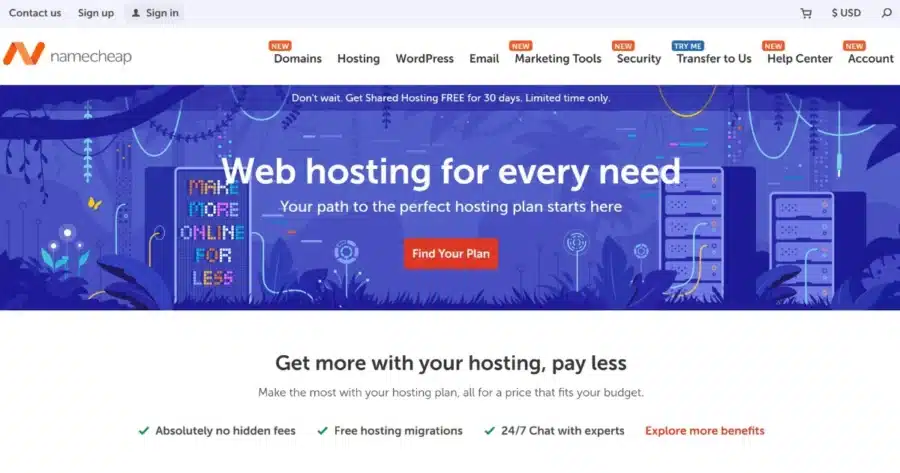
Namecheap is one of the most affordable cPanel shared hosting providers available, built around three Stellar plan tiers. It is well known for domain registration, and hosting and domains share the same account. Users looking for Hosting.com substitute services at a lower long-term cost will find the Stellar plans worth a close look.
Key Features
- cPanel with Softaculous for one-click installs across a wide range of apps and CMS platforms
- Free SSL on all plans
- Unmetered bandwidth across all plans
- AutoBackup on Stellar Plus and Stellar Business plans
- Free domain for the first year on eligible plans and billing cycles
- 100% uptime guarantee on Stellar Plus and Stellar Business
- Cloud Storage on Stellar Business for improved reliability
- 24/7 live chat support
Pricing
Below is a breakdown of the available Namecheap hosting plans:
| Plan | Intro Price | Renews From | Key Specs |
| Stellar | $0 for 30 days | $5.88/month | 3 websites, 20GB SSD, 30 email accounts |
| Stellar Plus | $0 for 30 days | $7.88/month | Unlimited websites, unmetered storage, unlimited mailboxes |
| Stellar Business | $0 for 30 days | $11.88/month | Unlimited websites, 50GB cloud storage, unlimited mailboxes |
Performance and Usability
Namecheap shared hosting runs Apache on SSD. Performance is consistent for low-to-moderate traffic sites, portfolios, and small business pages. The Stellar Business plan uses cloud storage for better uptime resilience.
The cPanel environment is familiar to users coming from Hosting.com or any other traditional shared hosting.
Pros
- Intro and renewal prices are among the lowest in the segment. The Stellar plan is one of the cheapest ways to get cPanel hosting with a free domain included.
- Having domains and hosting in one account simplifies management for users who register and host multiple sites.
Cons
- Apache rather than LiteSpeed means lower raw performance compared to alternatives to Hosting.com that run modern web server stacks.
- Renewal prices rise significantly after the first month, so factor that into your long-term cost before signing up.
3. DreamHost

DreamHost’s plans run on NVMe SSD storage, include daily automated backups, and are backed by in-house experts available 24/7.
For users who see Hosting.com similar services as lacking genuine WordPress depth, DreamHost is a credible step up.
Key Features
- Optimized servers with NVMe SSD storage and daily automated backups across all tiers
- In-house US-based expert support, 24/7 via chat and email
- Free domain for the first year on annual billing, free SSL, and unmetered bandwidth
- DreamPress managed WordPress with Bunny CDN, one-click staging, and on-demand backups
- Free website migration available on Web Hosting and DreamPress
Pricing
Below is a breakdown of the available plans for a 1-year subscription:
| Plan | Intro Price | Renews From | Key Specs |
|---|---|---|---|
| Launch | $2.89/month | $10.99/month | 25 websites, 40,000 visits/month, 25GB NVMe SSD |
| Growth | $3.99/month | $12.99/month | 50 websites, 20,0000 visits/month, 50GB NVMe SSD |
| Scale | $9.99/month | $25.99/month | 100 websites, 40,0000 visits/month, 100GB NVMe SSD |
Performance and Usability
All tiers include NVMe SSD storage and daily automated backups, unlike Hosting.com, where backup add-ons carry an extra cost.
The custom control panel covers all fundamentals well, though it requires a short adjustment for users coming from cPanel. Support is handled entirely in-house.
Pros
- Daily automated backups mean a plugin update gone wrong is a quick restore, not a crisis.
- With core contributors on the support team, complex site problems get resolved rather than deflected to generic documentation.
Cons
- The custom control panel requires adjustment for users coming from cPanel-based hosts like Hosting.com.
- The Launch plan’s renewal jump from $2.89 to $10.99/month is substantial, so factor this into the total cost before committing.
4. Cloudways

Cloudways is managed cloud hosting layered on top of five enterprise cloud providers: DigitalOcean, Vultr, Linode, AWS, and Google Cloud. It is not a direct drop-in for Hosting.com’s shared plans; it is a step up in capability and complexity.
For agencies and developers wanting Hosting.com alternative solutions without per-site pricing, it makes a strong case.
Key Features
- Choice of five cloud providers: DigitalOcean, Vultr, Linode, AWS, and Google Cloud
- Cloudways Flexible for customizable managed WordPress; Cloudways Autonomous for autoscaling high-traffic sites
- Lightning Stack with built-in Varnish, Memcached, Nginx, and Redis caching
- WordPress Multisite support for agencies managing complex environments
- Free SSL, staging, SSH, Git, and team management on all plans
- Cloudways AI Copilot for instant server troubleshooting
Pricing
Cloudways pricing is based on cloud provider and server size rather than named tiers:
| Provider | Starting Price | Entry Config | Notes |
|---|---|---|---|
| DigitalOcean | $14/month | 1GB RAM, 25GB storage, 1 TB bandwidth | Good entry point |
| Vultr | $14/month | 1GB RAM, 25GB storage, 1 TB bandwidth | Alternative at similar price |
| Linode | $14/month | 1GB RAM, 25GB storage, 1TB bandwidth | Alternative at similar price |
| AWS | $20.56/month | 1GB RAM, 20GB storage, 2TB bandwidth | Enterprise-grade infrastructure |
| Google Cloud | $37.33/month | 1.7GB RAM, 20GB storage, 1TB bandwidth | Highest performance ceiling |
Performance and Usability
Cloudways outperforms shared hosting because server resources are dedicated rather than shared. The Lightning Stack with Redis caching gives strong performance control. It is simpler than managing raw servers, but sizing and scaling require more thought than traditional shared hosting.
Pros
- There is no introductory term ending or renewal jump. Month one costs the same as month twenty-four, making budgeting straightforward.
- Agencies pay per server, not per site. Ten sites on one server can cut monthly costs by more than half. For those exploring Hosting.com other options, that math matters.
Cons
- Not suitable for non-technical users, as server sizing and scaling require more deliberate decisions than traditional shared hosting.
- Email hosting is a separate paid add-on, adding cost and friction for users who expect it bundled.
If you need more advanced hosting features, explore our guide to the best hosting for WordPress developers.
5. HostGator

HostGator’s plans include pre-installed software, AI-powered malware detection, Cloudflare CDN, and dedicated vCPUs on every tier. For users frustrated by Hosting.com’s post-rebrand support, it is one of the most direct Hosting.com equivalent hosting providers available, with 24/7 phone and chat support.
Key Features
- WordPress pre-installed on every plan
- AI-powered malware detection and removal, plus malware scanning
- Cloudflare CDN and free SSL included across all plans
- Dedicated vCPUs: 2 on Baby, 3 on Business, higher on Pro
- Free domain for the first year on annual plans
- Weekly website backups on Business plan and above
- 24/7 phone and chat support
Pricing
Below is a breakdown of the available plans:
| Plan | Intro Price | Renews From | Key Specs |
|---|---|---|---|
| Hatchling | From $3.75/month | $10.99/month | 10 websites, 10GB SSD, for 40K monthly visits |
| Baby | From $4.50/month | $16.49/month | 20 websites, 20GB SSD, for 50K monthly visits |
| Business | From $6.25/month | $21.99/month | 50 websites, 50GB SSD, for 200K monthly visits |
| Pro | From $13.95/month | $26.69/month | 100 websites, 100GB SSD, for 400K monthly visits |
Performance and Usability
HostGator’s WordPress plans allocate dedicated vCPUs rather than pooling resources, delivering more consistent performance than entry-level shared hosting. Cloudflare CDN, AI-powered malware detection, and free SSL are included across all plans. Everything comes pre-installed, removing setup friction for users switching from another host.
Pros
- Everything is configured from day one: software, CDN, and malware scanning. No setup required after signup.
- Round-the-clock phone support is a real safety net for users who need a real person when something breaks.
Cons
- Renewal increases follow the same pattern as Hosting.com. Users frustrated by that structure will find the same challenge here—worth noting before choosing it as a Hosting.com equivalent service replacement purely for the cPanel familiarity.
- Automated backups are only included from the Business plan upward.
If HostGator isn’t the right fit for your needs, check out our list of the best HostGator alternatives to compare other top hosting providers.
Which Hosting.com Alternative to Choose
The right pick depends on the gap you need to close. The five providers range from services similar to Hosting.com with fairer pricing to entirely different approaches at cloud scale:
- For the best overall package, including managed tools, human assistance, free migration, and a strong performance stack, choose JetHost.
- For low-cost cPanel shared hosting with domain management in one account, choose Namecheap.
- For NVMe storage, daily backups, unmetered bandwidth, and in-house expertise, choose DreamHost.
- For a scalable managed cloud without per-site pricing or renewal hikes, Cloudways is among the most distinct Hosting.com replacement options in this guide.
- For pre-installed WordPress, dedicated vCPUs, AI-powered malware protection, and phone support, choose HostGator.
Comparing the Best Hosting.com Alternatives
Below is a full comparison of the Hosting.com alternatives covered in this guide by use case:
| Provider | Pricing | Performance | Ease of Use | Scalability | Support | Best For |
|---|---|---|---|---|---|---|
| JetHost | From $1.99/month | LiteSpeed Enterprise, NVMe, Redis, CDN | High: WP Manager + cPanel; JetHost AI Connector | Shared to cloud tiers | 24/7 human experts | Best overall: free migration, WP tools, support |
| Namecheap | From $0 for 30 days, then $5.88/month | Apache, SSD, cPanel | High: cPanel + Softaculous | Shared, VPS, dedicated | 24/7 live chat | Budget buyers wanting low-cost cPanel hosting |
| DreamHost | From $2.89/month | NVMe SSD, daily backups, CDN on DreamPress | Medium: custom panel | WordPress, DreamPress, VPS, dedicated | 24/7 in-house chat/email | WordPress-focused users wanting expert depth |
| Cloudways | From $14/month | Lightning Stack, Redis, cloud resources | Low-medium: cloud setup required | Instant server scaling, 5 providers | 24/7; advanced tiers as add-ons | Agencies and developers at cloud scale |
| HostGator | From $3.75/month | SSD, Cloudflare CDN | High: WP pre-installed | WordPress, VPS, dedicated | 24/7 phone, chat | Users wanting pre-built WP environment |
Conclusion
These best hosting.com alternatives in 2026 each solve a different problem. Hosting.com has infrastructure strengths, but steep renewal pricing, support decline, and email limits have pushed many users toward options with better long-term value.
Each Hosting.com alternative provider here fills a different gap:
- JetHost: free migration, managed tooling, Patchstack protection, JetHost AI Connector, and real human support.
- Namecheap: budget cPanel hosting with some of the lowest intro and renewal prices in the segment.
- DreamHost: NVMe storage, daily backups, and in-house core contributors on the team.
- Cloudways: pay-as-you-go cloud pricing with no renewal hikes, built for agencies and growing sites.
- HostGator: pre-installed WordPress, dedicated vCPUs, AI malware protection, and 24/7 phone access.
Among these, JetHost stands out as the strongest starting point for most users.
Focus on your business, while JetHost handles the hosting.
Frequently Asked Questions
What is the best overall Hosting.com alternative in 2026?
JetHost is the strongest overall replacement for Hosting.com. It pairs a LiteSpeed Enterprise and NVMe stack with managed site tools in the client dashboard. Add free unlimited migration, Patchstack scanning, and 24/7 support from real hosting experts.
Why are users searching for what to use instead of Hosting.com?
The most common reasons are steep renewal costs after the rebrand, inconsistent support, and hourly email sending limits. Long-term customers have reported year-over-year increases above 40% since the rebrand. Support quality has not matched what A2 delivered before the acquisition.
Do any of these Hosting.com replacements use cPanel?
JetHost, Namecheap, and HostGator all use cPanel. DreamHost uses its own custom control panel. Cloudways uses a cloud management dashboard built for developers and agencies.
Is migration away from Hosting.com complicated?
With JetHost, no. The free unlimited migration service covers websites, databases, and email accounts with no downtime and no site count cap. DreamHost, HostGator, and Namecheap also offer free migration on their hosting plans. Cloudways requires more hands-on setup and suits technically experienced users.


Top articles
Our Picks
- 6 minutes read
7 Signs It’s Time to Switch Your Web Hosting Provider
Most people don’t think about their hosting until something breaks. But if your website has been acting up – slower pages, random errors, or unreliable support – it might be…
- 4 minutes read
eDesign Interactive on Pressure, People & Creativity
Client: George, CEO of eDesign Interactive Industry: Web Design, Digital Strategy & Interactive Marketing Website: edesigninteractive.com Relationship: Long-time collaboration with the team behind JetHost
- 2 minutes read
Case Study: How SEO Rush Got 5x Faster with JetHost
Client: SEORUSH Industry: SEO & Digital Marketing Website: seorush.org Service: JetHost WordPress Hosting When you run an SEO agency, your website needs to perform as well as the results you…
Related Posts
 13 minutes read
Hosting for WordPress for Web Designers: 6 Providers That Keep Client Sites Fast
The best hosting for WordPress for web designers is JetHost, Hostinger, and SiteGround, followed by Bluehost, DreamHost, and HostGator. Your web designer portfolio does more than showcase your work. It…

-
8 minutes read
Weebly Shutting Down: 6 Alternatives to Migrate Your Site To
Weebly is shutting down in 67 countries. If you’re affected, you need to move your site to a new platform by December 26, 2026. Consider these alternatives: JetHost, Wix, Squarespace,…
- 3 minutes read
10 best File Transfer Protocol (FTP) clients
Everyone who runs a website ends up needing one: a good FTP client. It is the app that moves files between your computer and your server – and the difference…