Weebly is shutting down in 67 countries. If you’re affected, you need to move your site to a new platform by December 26, 2026. Consider these alternatives: JetHost, Wix, Squarespace, Shopify, Bluehost, and Hostinger.
The Weebly shutdown left many small businesses and freelancers with questions about their websites, content, and domains. The good news is that there are solid alternatives to Weebly to choose from.
Moving a website can feel overwhelming, especially when you didn’t choose the timing. The key is to choose a platform that gives you the control and support you need.
Key Takeaways
- Weebly is shutting down in 67 countries, and affected sites went offline on September 27, 2026.
- Affected users must download their data and migrate their sites by December 26, 2026.
- Weebly designs can’t be fully transferred, so users need to rebuild their sites.
- You can move your domain to a new platform or host, such as JetHost.
What Happened to Weebly?
Weebly, a cloud-based website builder and hosting service, announced a shutdown in 67 countries, citing regulatory changes and efforts to simplify operations worldwide as the reasons.
If you’ve noticed that your Weebly site is not working properly, the issue may be that your country is affected by the shutdown.
The affected users need to move their websites to another platform before the December 26, 2026 deadline.
Who is affected by the Weebly shutdown?
Weebly shutdown is permanent in these 67 countries:
- Asia-Pacific: Taiwan, Singapore, Malaysia, Thailand, South Korea, Vietnam, Cambodia, Laos, Pakistan, Bangladesh, Nepal, Palau, French Polynesia, New Caledonia
- Middle East: United Arab Emirates, Saudi Arabia, Jordan, Oman, Bahrain
- Europe and Central Asia: Iceland, Turkey, Serbia, Bosnia and Herzegovina, Albania, Montenegro, Moldova, Ukraine, Russia, Belarus, Andorra, Georgia, Armenia, Azerbaijan, Kazakhstan, Uzbekistan, Tajikistan
- Africa: Egypt, Morocco, Algeria, Kenya, Tanzania, Uganda, Ethiopia, Nigeria, Ghana, Senegal, Benin, Guinea, Sierra Leone, Côte d’Ivoire, Cameroon, Gabon, Congo, Zambia, Zimbabwe, Mauritius
- Americas and Caribbean: Colombia, Chile, Peru, Ecuador, Uruguay, Paraguay, Costa Rica, Suriname, Barbados, Bahamas, Aruba
Is Weebly shutting down in the US? No. US, UK, Canada, Australia, and Western Europe aren’t on the list of affected regions.
When is Weebly Shutting Down?
Weebly is closing in stages, and three deadlines have already passed. The date that matters now is December 26, 2026, when you lose access to your account.
Important dates in the Weebly shutdown:
- June 29, 2026: Publishing of new pages stops.
- September 20, 2026: Weebly finishes winding down its services in 67 countries.
- September 27, 2026: Weebly takes all sites in affected countries offline.
- December 26, 2026: Your login stops working. After that, you can’t download your data or move your domain.
To download your Weebly data, go to Account Settings > My Data > Download My Data.
For more information on the migration of your data, see the official statement.
Where to Move Your Website: 6 Weebly Alternatives
Weebly combines website building and hosting in one platform. Moving away from it means finding an alternative to Weebly that covers both parts of the service.
Important note: Weebly is a closed-source platform, so it’s impossible to fully move the design from Weebly to another website builder (e.g., WordPress). You can export your text and blog data, and manually rebuild the design using one of the Weebly alternatives below.
1. JetHost
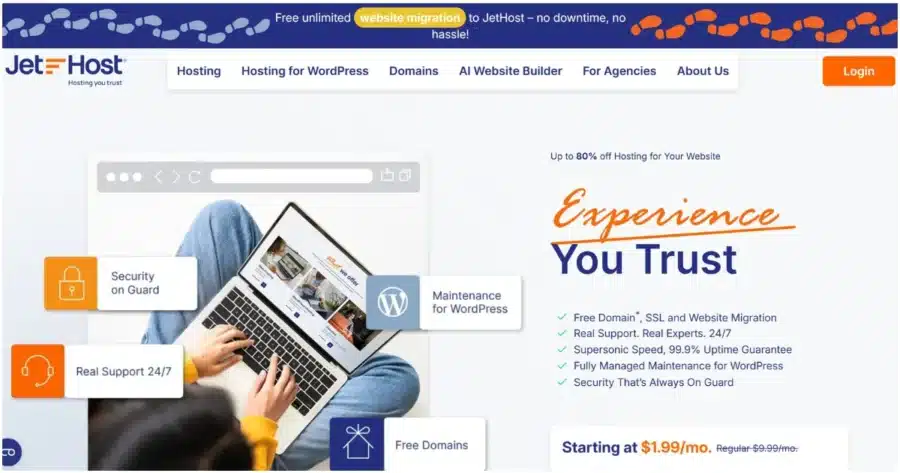
Best for: Budget-conscious users who want premium hosting for WordPress and hands-off help with the move.
Hosting quality: JetHost runs on fast LiteSpeed Enterprise servers with NVMe storage, a newer and faster type of SSD drive.
Every plan includes:
- A 99.9% uptime guarantee
- Free SSL, which encrypts data between your site and visitors
- A free Cloudflare CDN, which stores copies of your site on servers worldwide so pages load faster
- A firewall, malware scanning, DDoS mitigation, and Patchstack protection for WordPress sites
- Backups are available weekly, three times a week, or daily, depending on your plan
Migration support: The JetHost team moves your websites and email accounts for free, with no limit and no downtime.
The AI Website Builder can help you rebuild your website. The tool is very intuitive—you answer questions about your business, and it creates your pages, text, and layout.
Pricing:
- WP Mini: $1.99/month → renews at $8.99/month
- WP Start: $2.99/month → renews at $10.99/month
- WP Maverick: $5.99/month → renews at $21.99/month
- WP Business: $10.99/month → renews at $36.99/month
2. Wix
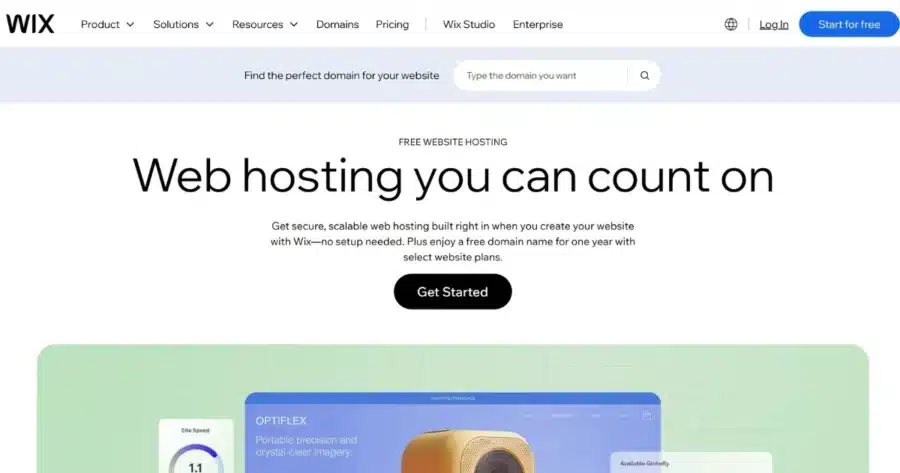
Best for: Drag-and-drop editing with a large app marketplace.
Hosting quality: Wix hosts your site for you and includes free SSL on every plan.
Migration support: Wix has no native Weebly importer, so you’ll need to recreate your pages and transfer your text and images manually.
Pricing: Wix offers free hosting with 500 MB storage, 1 GB bandwidth, and SSL, but uses a Wix subdomain. The basic paid plan (Light) costs $17/month; ecommerce plans start at $29/month with Core. All plans are billed annually upfront.
Side note: Wix has a visual, drag-and-drop editor that may feel familiar if you’re coming from Weebly. But keep in mind that your site stays within Wix’s platform. If you want to migrate it to another platform later, the designs won’t transfer.
3. Squarespace

Best for: Portfolios, blogs, and small business sites where design matters most.
Hosting quality: Squarespace manages hosting, SSL, and a CDN for you.
Migration support: No Weebly import. Squarespace offers templates and step-by-step rebuild guides.
Pricing: Squarespace’s annual plans start at $19/month for Basic, followed by Core at $29/month, Plus at $49/month, and Advanced at $99/month.
4. Shopify

Best for: Stores moving over from Weebly’s online store features.
Hosting quality: Shopify hosts your store and meets PCI DSS (the security standard for accepting card payments).
Migration support: Apps like Cart2Cart import your products and customers from Weebly to Shopify.
Pricing: Shopify includes hosting with every plan. Basic costs $29/month when billed annually, Grow costs $79/month, and Advanced is $299/month.
Moving an ecommerce store? Compare more options in our article about hosting for WordPress ecommerce stores.
5. Bluehost

Best for: Beginners moving to WordPress with a well-known host.
Hosting quality: WordPress.org lists Bluehost as a recommended host. Plans include free SSL, WordPress installation, and 24/7 support.
Migration support: Bluehost provides a free WordPress migration tool, but it doesn’t directly import a Weebly site. You’ll need to rebuild or migrate the Weebly site into WordPress.
Pricing: Bluehost Starter costs $4.99/month on a 12-month term. Business is $7.99/month, and eCommerce Essentials is $15.99/month. The promotional price is paid upfront for the full initial term.
Look beyond the introductory price. Our guide to hosting providers like Bluehost compares alternatives and their renewal costs.
6. Hostinger

Best for: Small businesses and freelancers on tight budgets.
Hosting quality: Hostinger includes free SSL, a free domain for one year, and a 99.9% uptime guarantee. Premium includes weekly backups, while the higher Unlimited and Cloud Startup plans have daily backups.
Migration support: Weebly isn’t supported for direct migration. You’ll need to rebuild the site with Hostinger’s AI Website Builder or WordPress.
Pricing: Premium costs $3.99/month; Unlimited is $4.99/month; Cloud Startup costs $9.99/month.
Hostinger isn’t your only option—see more alternatives to Hostinger.
Your Next Steps Before December 26, 2026
With Weebly shutting down, it’s time to plan your next move. Do the following three things as early as possible:
- Download your data: Do it today, even before you choose a platform.
- Start your domain transfer: Transfers take several days and need access to your Weebly dashboard.
- Pick your new platform: Choose one where you own your files, so you can move again anytime.
JetHost is a reliable hosting option that keeps your site fast, secure, and accessible as you grow. It doesn’t lock you into another closed website platform. You get free, unlimited migration and 24/7 support. Our team moves your website and email accounts, so you don’t have to handle the technical side alone.
Pick a JetHost plan, send us your site details, and our team will handle the move.
FAQ
Is Weebly going out of business?
No. Weebly is not closing down globally. It is ending service in 67 countries while continuing to operate in other markets. Square, which acquired Weebly in 2018, is directing new website customers to its Square Online platform.
Can I keep my Weebly website?
No, if you’re in an affected country. Weebly will unpublish affected websites on September 27, 2026. You can keep your content by downloading it before December 26, 2026, and rebuilding on a new platform. After that date, you will lose access to your website.
How will the Weebly shutdown affect my website’s design?
Your design won’t transfer fully. The Weebly archive holds your text, images, and page files. Forms, slideshows, and store data won’t move cleanly to other platforms. Use the archive as a reference while you rebuild with a new theme or template.
Will my domain still work after Weebly closes down?
Yes, you still own it, but it’ll point to a site Weebly has taken offline. If it was connected to Weebly, you can keep it with Weebly and point it to your new host, or transfer it to another registrar. You’ll have access to your Weebly account until December 26, 2026, to move your domain and website.
What do I need to do to migrate my domain from Weebly to a different provider?
In your Weebly dashboard, go to Websites > Domains and click Manage > Manage Domain. Turn off the Registrar Lock and copy the full EPP code, a password that proves you own the domain. Don’t edit your domain contact details first because that locks the domain again. Give the code to your new registrar to complete the transfer.


Top articles
Our Picks
- 6 minutes read
7 Signs It’s Time to Switch Your Web Hosting Provider
Most people don’t think about their hosting until something breaks. But if your website has been acting up – slower pages, random errors, or unreliable support – it might be…
- 4 minutes read
eDesign Interactive on Pressure, People & Creativity
Client: George, CEO of eDesign Interactive Industry: Web Design, Digital Strategy & Interactive Marketing Website: edesigninteractive.com Relationship: Long-time collaboration with the team behind JetHost
- 2 minutes read
Case Study: How SEO Rush Got 5x Faster with JetHost
Client: SEORUSH Industry: SEO & Digital Marketing Website: seorush.org Service: JetHost WordPress Hosting When you run an SEO agency, your website needs to perform as well as the results you…
Related Posts
 3 minutes read
10 best File Transfer Protocol (FTP) clients
Everyone who runs a website ends up needing one: a good FTP client. It is the app that moves files between your computer and your server – and the difference…

- 13 minutes read
Top 8 Hosting Providers for WordPress for Educational Institutions: From Schools to Universities
The best hosting for WordPress for education websites includes JetHost, Hosting.com, SiteGround, Bluehost, and DreamHost, followed by Hostinger, HostGator, and WPX.
- 12 minutes read
6 Best Hosting Providers for Freelancers Using WordPress in 2026
The best hosting for WordPress for freelancers is JetHost, Hostinger, Bluehost, HostGator, Hosting.com, and SiteGround, each suited to a different type of freelance work. A freelancer’s website is more than…