The best Bluehost alternatives are JetHost, SiteGround, Hostinger, GoDaddy, hosting.com, and WPX.
Plenty of small sites start on Bluehost because it’s beginner-friendly, bundles a first-year domain and SSL, and offers one-click installs. The friction shows up later, after the introductory term ends, and the value equation shifts.
We analyzed online reviews, and three issues stood out:
- prices that jump at renewal
- performance that dips on a busy shared server
- useful features parked on pricier tiers
The right Bluehost hosting alternative fixes those gaps with honest long-term pricing, steadier performance, and support from people who solve your problem.
Below we present you with six options that clear that bar.
What Are the Best Bluehost Alternatives?
These six Bluehost alternative hosting providers offer options for every budget, from affordable hosting to premium managed WordPress care:
- JetHost: Best overall. Free unlimited migration, managed WordPress tools, and real expert support.
- SiteGround: Best for managed tooling. Polished site management and security on Google Cloud.
- Hostinger: Best for tight budgets. Very low entry pricing with a beginner-friendly panel and AI tools.
- GoDaddy: Best for all-in-one convenience. Hosting, domains, and email in one provider.
- hosting.com: Best for speed-focused cPanel hosting. LiteSpeed and NVMe with in-house support.
- WPX: Best for hands-on WordPress support. Fast help, free migrations, and managed fixes.
Let’s dive into the details below.
1. JetHost: The Best Bluehost Alternative

JetHost is a modern host for small businesses, agencies, and WooCommerce store owners who want fewer technical headaches and a real team behind them.
It pairs current infrastructure with managed WordPress tools and responsive support, making JetHost a natural fit for anyone switching from Bluehost for better service.
Key Features
- Free unlimited site and email migration with no downtime
- Managed WordPress dashboard for updates, logins, staging, cloning, backups, and SSL control
- Enterprise LiteSpeed, LiteSpeed Cache, HTTP/2 and HTTP/3, Redis object cache, and Cloudflare CDN on relevant plans
- Patchstack vulnerability protection for WordPress core, plugins, and themes
- Account isolation, web firewall, malware scanning, patching, and 2FA for cPanel and Webmail
- AI Website Builder that drafts a starting structure, content, and layout from your details
- Free access to premium WordPress plugins for caching, backups, SEO, and email delivery included with every plan
- JetHost Total Care, a free companion plugin, adds security hardening, privacy controls, and performance tweaks that go beyond standard hosting panel settings
- Free SSL, free CDN setup, and a free first-year domain on eligible plans
- JetHost AI Connector makes finding hosting details effortless. You simply ask an AI agent (Claude, ChatGPT, Cursor, Loveble) and get the information you need through a chat
Pricing
JetHost keeps entry pricing low and lists renewal rates openly. Below is a breakdown of the available pricing plans:
| Plan | Intro Price | Renews From | Key Specs |
|---|---|---|---|
| Mini | $1.99/month | $8.99/month | 1 site, 10GB, 15000 visits, up to 5 email accounts |
| Start | $2.99/month | $10.99/month | 25 sites, 25GB, 30000 visits, up to 50 email accounts, free first-year domain |
| Maverick | $5.99/month | $21.99/month | 100 sites, 75GB, 90000 visits, free first-year domain, unlimited email accounts |
| Business | $10.99/month | $36.99/month | 150 sites, 200GB, 200000 visits, free first-year domain, unlimited email accounts |
Performance and Usability
The LiteSpeed and Redis stack, a Cloudflare CDN, and NVMe storage keep pages quick under load. Each plan includes a JetSpeed Performance tier, scaling from 1 GB RAM on Mini to 4 GB RAM and 100 PHP workers on Business, so sites do not share a resource pool.
Non-technical owners manage WordPress updates, staging, and backups from the client area, while developers get Git, SSH, and multiple PHP versions on higher tiers.
Pros
You get genuine peace of mind with JetHost. Here’s what makes it the best alternative to Bluehost:
- Switching is painless, since the team moves your sites and mailboxes for free with no downtime. This way, you avoid the lost hours and broken email that usually come with changing hosts
- When something breaks, you reach an experienced specialist by phone, chat, or ticket at any hour, which means faster fixes and far less time stuck in a queue
Cons
A few points are worth weighing before you sign up:
- Some features are only available on higher subscription tiers
Move your sites for free and let our experts handle the hosting while you focus on your business.
2. Hostinger

Hostinger is the value leader among Bluehost competitors and alternatives. Its low entry pricing, simple hPanel, and AI setup tools appeal to first-time owners and budget-minded freelancers who still want managed tools.
Key Features
- Managed tools for WordPress and WooCommerce, plus an AI website builder
- Free SSL, free automatic migration, and a free first-year domain on eligible annual plans
- LiteSpeed technology and multiple global server locations
Pricing
| Plan | Intro Price | Renews From | Key Specs |
|---|---|---|---|
| Premium | $2.99/month | $10.99/month | 3 sites, 20GB SSD, 2 mailboxes/site, free domain |
| Business | $3.99/month | $16.99/month | 50 sites, 50GB NVMe, daily backups, free CDN, 5 mailboxes/site |
| Cloud Startup | $7.99/month | $25.99/month | 100 sites, 100GB NVMe, 10 mailboxes/site, dedicated IP, priority support |
Performance and Usability
For the price, performance is solid for blogs and small business sites, helped by LiteSpeed and a wide data-center map. The interface favors beginners, so power users move to VPS plans.
Pros
Hostinger wins on accessibility as a recommended alternative to Bluehost:
- Getting online costs very little up front, so a first site needs no big commitment to start
- The guided setup and clean dashboard let even total beginners build and manage a site without calling in technical help
- Bundled extras like a free first-year domain and automatic migration cut the separate costs and busywork of starting out
Cons
Keep the following points in mind for the second term:
- Renewal rates rise well above the introductory price once your term ends
- The best entry rates require long multi-year commitments paid in full at checkout
- Heavier or higher-traffic sites can hit resource limits and may be pushed toward VPS plans
Looking beyond Hostinger? Our Hostinger alternatives breakdown highlights some of the best options available today.
3. SiteGround

SiteGround is a hosting company known for managed features and a polished experience on Google Cloud. It suits WordPress and WooCommerce owners who value tooling and support over the lowest renewal price, a credible Bluehost substitute for quality-focused users.
Key Features
- Managed tools for WordPress with one-click installs, staging on higher plans, and automatic updates
- Daily backups, free SSL, free CDN, and email on every shared plan
- Custom Site Tools panel in place of cPanel
- Security systems the company says block most malicious traffic, plus 11 data centers across four continents
- WP-CLI and SSH access are available on all plans
Pricing
| Plan | Intro Price | Renews From | Key Specs |
|---|---|---|---|
| StartUp | $2.99/month | $17.99/month | 1 site, 10GB, unlimited traffic |
| GrowBig | $4.99/month | $29.99/month | Unlimited sites, 50GB, on-demand backups, faster PHP, staging |
| GoGeek | $7.99/month | $44.99/month | Unlimited sites, 100GB, staging, Git access |
Performance and Usability
Google Cloud infrastructure, in-house caching, and a CDN deliver dependable speed, and Site Tools is clean and capable. The trade-off is portability for cPanel users.
Pros
SiteGround builds trust by demonstrating professionalism and attention to detail:
- You spend less time on upkeep because backups, staging, and security run in the background instead of needing manual setup each time
- Support staff know the platform deeply and respond quickly, so tricky WordPress or WooCommerce issues get resolved with less back-and-forth
- Sites stay quick and stable on Google Cloud resources, which protects your traffic and sales during busy periods
Cons
Watch the long-term math when picking SiteGround as one of the best Bluehost alternatives:
- Renewal pricing climbs sharply once the first term ends, so the lasting cost is well above the headline rate
- The entry plan allows only one website and modest storage, which nudges multi-site owners to a pricier tier
- The custom Site Tools panel means anyone used to cPanel faces a short relearning curve. Custom panels also tend to make the plans more expensive
Check out our guide comparing JetHost vs. SiteGround to help you choose the right hosting provider for your business.
4. GoDaddy
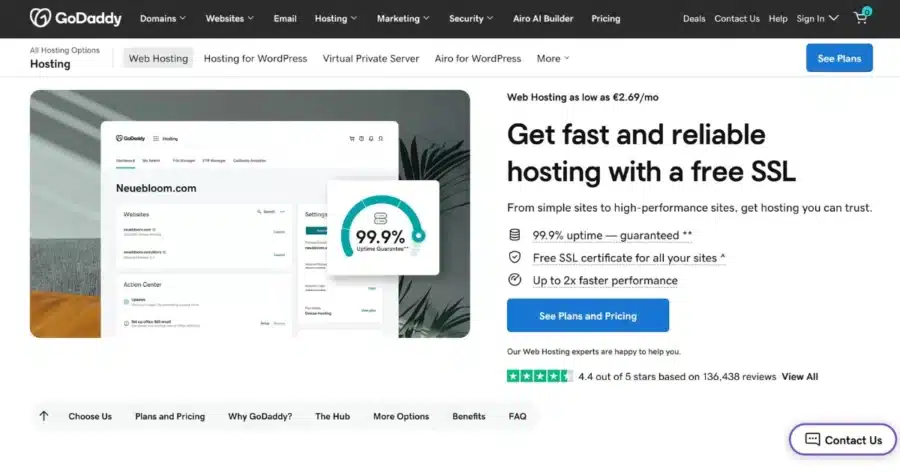
GoDaddy bundles hosting, domains, email, and SSL in one account. It suits small businesses that value convenience and a fully managed WordPress setup, a practical Bluehost equivalent for owners who want everything in one place.
Key Features
- Fully managed WordPress with one-click installs, automatic updates, Patchstack, WAF, malware scanning, and daily backups on all plans.
- Domains, email, and hosting in a single dashboard
- Free migration tool, 24/7 support, and DDoS protection
- Global data centers with upgrade paths to VPS and dedicated hosting
Pricing
| Plan | Intro Price | Renews From | Key Specs |
|---|---|---|---|
| Economy | $5.99/month | $11.99/month | 1 site, 25GB NVMe storage, free SSL |
| Deluxe | $7.99/month | $16.99/month | 10 sites, 50GB NVMe storage, free SSL |
| Ultimate | $12.99/month | $21.99/month | 25 sites, 75GB NVMe storage, free SSL |
Performance and Usability
GoDaddy’s fully managed WordPress setup handles updates, security, and backups automatically. VPS options are available for heavier workloads.
Pros
GoDaddy is built around convenience:
- Managing hosting, domains, email, and SSL from one account simplifies billing and the day-to-day admin of running a site
- The fully managed approach makes it approachable for non-technical owners
- A large support operation and clear upgrade path give you room to grow without changing providers later
Cons
Read the fine print before committing:
- Renewal pricing roughly doubles after the introductory term, so the long-run cost is high
- Staging, WooCommerce, and priority support are gated behind the Ultimate tier, so lower plans have limited room to grow
- Checkout funnels you through many add-on prompts, which can make your true total hard to predict
If you’re looking for a more straightforward experience, here’s our breakdown of the best GoDaddy alternatives.
5. hosting.com

hosting.com is the rebranded A2 Hosting, a speed-focused managed hosting provider that leans on Cloudflare Enterprise CDN and AMD EPYC hardware. It fits performance-minded owners and is a solid Bluehost equivalent for anyone who cares about page speed.
Key Features
- Custom WordPress-focused dashboard with Cloudflare Enterprise CDN and WAF, AMD EPYC CPUs, and NVMe SSD storage
- Free WP Rocket and Object Cache Pro on eligible plans, plus free unlimited migrations and automated backups
- Free SSL, dual firewall protection (Cloudflare and Imunify360), malware monitoring, and a free first-year domain on annual plans
- 10 global data center locations with a path to enterprise hosting
Pricing
| Plan | Intro Price | Renews From | Key Specs |
|---|---|---|---|
| Starter | $2.99/month | $11.99/month | 1 site, 15GB disk space, free first-year domain |
| Plus | $3.99/month | $14.99/month | 2 sites, 30GB disk space, free first-year domain |
| Pro | $6.99/month | $22.99/month | 10 sites, 50GB disk space, free first-year domain |
| Max | $8.99/month | $27.99/month | 100 websites, 100GB disk space, LiteSpeed |
Performance and Usability
Cloudflare Enterprise full-page caching, AMD EPYC CPUs, and NVMe storage give hosting.com fast delivery worldwide, and the clean WordPress-focused dashboard is easy to navigate.
Pros
hosting.com leans on speed and familiarity:
- Cloudflare Enterprise CDN and full-page caching deliver fast, reliable load times for all visitors, regardless of location
- Free unlimited migrations with no downtime make switching easy, and the clean custom dashboard suits site owners without technical backgrounds
- Phone, chat, and ticket support at this price gives you more ways to get help than many budget hosts offer
Cons
A few caveats come with the rebrand:
- Specific plan tiers and renewal pricing for the managed platform are not publicly listed on the main page, so confirming terms with the team before buying is important
- Leftover A2 Hosting branding still appears in parts of the dashboard, which can feel like an unfinished transition
- Shared plans have lower traffic headroom, so a busy site may need to step up to a VPS
6. WPX

WPX is a managed host built around WordPress and WooCommerce for publishers and agencies who prize support speed and done-for-you maintenance. It is a premium pick among Bluehost hosting alternatives, best for owners who want the host to handle the heavy lifting.
Key Features
- Managed hosting for WordPress and WooCommerce with one-click installs
- Free unlimited expert migrations, speed optimization, and malware removal
- XDN content delivery network worldwide on LiteSpeed servers
- Free SSL, daily malware scans, and WAF
Pricing
WPX prices managed hosting above shared hosting, but renewals generally hold steady.
| Plan | Price (annual) | Renews From | Key Specs |
| Starter | $14.99/month | $17.99/month | 1 site, 10GB, 100GB bandwidth |
| Business | $24.99/month | $29.99/month | Up to 5 sites, 20GB, 200GB bandwidth |
| Professional | $49.99/month | $59.99/month | Up to 15 sites, 40GB, 400GB bandwidth |
Performance and Usability
A LiteSpeed stack, the XDN, and Cloudflare give WPX fast, reliable delivery, and the custom dashboard is simple for site owners. It is purpose-built for WordPress, so it suits developers wanting server-level control less well.
Pros
WPX is about hands-on service:
- Support is the standout, with replies often under 30 seconds, so urgent WordPress problems get real help fast
- The team handles migrations, speed optimization, and malware removal for you, which lifts a lot of routine maintenance off your plate
- Performance services and the XDN come bundled, so you are not paying extra for caching, a CDN, or security cleanups
Cons
It’s a focused, premium product:
- Pricing starts well above budget shared hosting, so it is a quality-first choice rather than a cheap one
- It is built only for WordPress and WooCommerce, so it does not fit general apps or full server control
- Entry storage is modest and resources per site are capped, so very large sites can outgrow it
Which Bluehost Alternative Is the Right Choice?
Your choice depends on priorities, budget, and how much you want to manage.
- For the best overall mix of free migration, managed tools, and human support: JetHost.
- For the lowest entry cost and an easy first launch, Hostinger is the budget pick.
- For polished managed tooling and security, SiteGround is a strong fit.
- For hosting, domains, and email under one roof: GoDaddy.
- For fast managed hosting for WordPress: hosting.com, on Cloudflare Enterprise and AMD EPYC hardware.
- For done-for-you support on a WordPress site: WPX does the heavy lifting.
Still weighing your options? Read our guide on how to choose the best hosting for WordPress, which walks through the key criteria in plain language.
Full Comparison of the Best Bluehost Alternatives
Below is a full comparison of every provider in this guide:
| Provider | Pricing | Performance | Ease of Use | Scalability | Support | Best For |
|---|---|---|---|---|---|---|
| JetHost | From $1.99/month | High (LiteSpeed, Redis) | High | Good | 24/7 phone, chat, ticket | Best overall |
| SiteGround | From $2.99/month | High (Google Cloud) | Medium | Good | 24/7 expert | Managed tooling |
| Hostinger | From $2.99/month | Good (managed WP, NVMe) | High | Medium | 24/7 chat | Tight budgets |
| GoDaddy | From $5.99/month | Good (cPanel, CloudLinux) | High | Good | 24/7 support | All-in-one convenience |
| hosting.com | From $2.99/month | High (Cloudflare Enterprise, AMD EPYC) | Medium | Good | 24/7 phone, chat | Speed-focused managed WP |
| WPX | From $14.99/month | High (LiteSpeed, XDN) | High | Medium | Sub-30-second chat | Hands-on WordPress support |
Conclusion
No single host wins outright; the right one depends on what you are building. Bluehost fits true beginners, but in terms of long-term cost, speed, or real support, the six picks above do more.
This is where the best Bluehost alternatives stand out:
- JetHost: free, expert-run migration and support.
- SiteGround: tooling and security handled for you.
- Hostinger: the cheapest way to start.
- GoDaddy: hosting, domains, and email in one account.
- hosting.com: fast LiteSpeed speed on familiar cPanel.
- WPX: hands-on, done-for-you WordPress help.
Let your project pick the host, not the size of the brand behind it.
Switch to JetHost free of charge and get experts who handle the hosting for you.
Frequently Asked Questions
What is the best overall Bluehost alternative in 2026?
JetHost is the best overall Bluehost alternative because it combines free unlimited migration, managed WordPress tools, transparent renewal pricing, and around-the-clock support from real specialists. That blend tackles the main reasons people seek a Bluehost replacement.
Why do people switch away from Bluehost?
The most frequent reasons are renewal prices that rise after the first term, shared-resource limits on busy sites, and features behind higher tiers. Buyers who want clearer long-term costs start comparing Bluehost competitors and alternatives.
Do these Bluehost alternatives support WordPress?
Yes, every provider here runs WordPress well. JetHost, SiteGround, and WPX add managed features such as staging, caching, and automatic updates, making them solid Bluehost alternatives for WordPress owners.
Can I keep using cPanel after switching?
It depends on the provider. For example, JetHost uses cPanel. Hostinger uses its own hPanel, which is beginner-friendly but different from cPanel. hosting.com both uses custom-managed WordPress dashboards, while SiteGround and WPX each have their own panels. All are capable, but users standardized on cPanel will find JetHost the closest match.
How hard is it to migrate my website?
It varies by provider. JetHost migrates sites and mailboxes for free with no downtime, and hosting.com and WPX also offer free migration. GoDaddy offers a free migration tool, so among these Bluehost alternative hosting providers, switching is usually low-effort. Confirm the terms first.


Top articles
Our Picks
- 6 minutes read
7 Signs It’s Time to Switch Your Web Hosting Provider
Most people don’t think about their hosting until something breaks. But if your website has been acting up – slower pages, random errors, or unreliable support – it might be…
- 4 minutes read
eDesign Interactive on Pressure, People & Creativity
Client: George, CEO of eDesign Interactive Industry: Web Design, Digital Strategy & Interactive Marketing Website: edesigninteractive.com Relationship: Long-time collaboration with the team behind JetHost
- 2 minutes read
Case Study: How SEO Rush Got 5x Faster with JetHost
Client: SEORUSH Industry: SEO & Digital Marketing Website: seorush.org Service: JetHost WordPress Hosting When you run an SEO agency, your website needs to perform as well as the results you…
Related Posts
 13 minutes read
Hosting for WordPress for Web Designers: 6 Providers That Keep Client Sites Fast
The best hosting for WordPress for web designers is JetHost, Hostinger, and SiteGround, followed by Bluehost, DreamHost, and HostGator. Your web designer portfolio does more than showcase your work. It…

-
8 minutes read
Weebly Shutting Down: 6 Alternatives to Migrate Your Site To
Weebly is shutting down in 67 countries. If you’re affected, you need to move your site to a new platform by December 26, 2026. Consider these alternatives: JetHost, Wix, Squarespace,…
- 3 minutes read
10 best File Transfer Protocol (FTP) clients
Everyone who runs a website ends up needing one: a good FTP client. It is the app that moves files between your computer and your server – and the difference…