



Email Routing
Email routing tells the server what to do with mail for your domain – deliver it locally on JetHost, or hand it to an external provider such as Google Workspace or Microsoft 365. This guide explains the options and when to change them. Email is included with every JetHost web hosting plan.
When you need it
Most people never touch this. You only need it if your email is hosted somewhere other than JetHost. In that case, the server must be told not to deliver mail locally, or messages can get stuck instead of reaching your real provider.
Change your email routing
- In your hosting panel, open Email Routing.
- Select your domain.
- Choose the routing option and save.
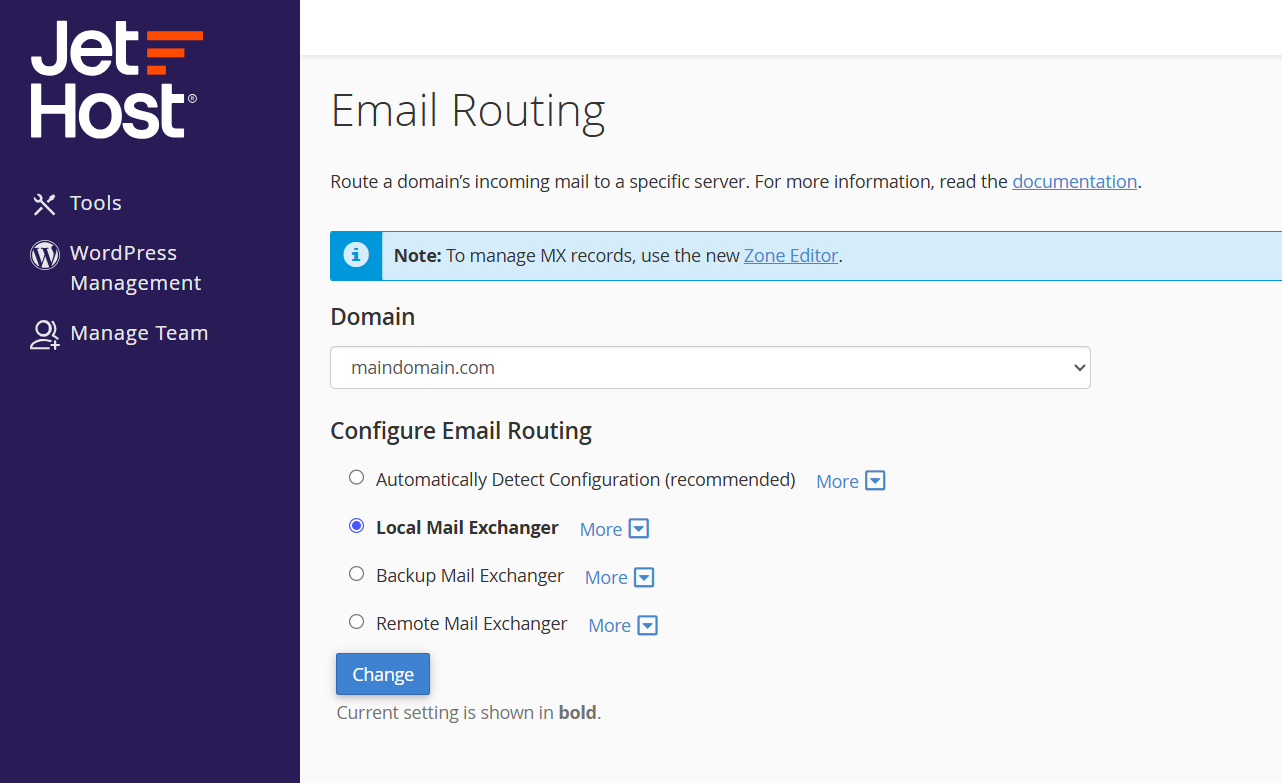
The routing options
- Automatically Detect Configuration – the default, and the right choice for almost everyone. The server follows your MX records.
- Local Mail Exchanger – forces mail to be delivered here on JetHost, whatever the MX records say.
- Backup Mail Exchanger – JetHost holds mail temporarily if your primary mail server is down.
- Remote Mail Exchanger – tells the server your mail is hosted elsewhere, so it never tries to deliver locally. Use this with an external email provider.
If you use a third-party email service, first point your MX records to that provider, then set routing to Remote. The order matters: change the MX records first, allow them to propagate, and only then switch routing, so mail is never sent to the wrong place in between.
To go the other way – moving email back to JetHost – do the reverse. Point your MX records at JetHost, then set routing to Automatically Detect Configuration (or Local). If you ever see a mix of some users receiving mail here and others at the old provider during a migration, that is simply propagation catching up, and it settles within a day or two.
JetHost Experts Tip
A classic email mystery: MX records point to Google or Microsoft, but your own users’ mail never arrives. The cause is almost always routing left on Local. Setting it to Remote fixes it instantly.
Related: How to set up an email forwarder, Default address (catch-all), Email deliverability.
Need more help?
Not sure which option you need? Open a ticket through Client Area → Support and our team will set the right routing for your domain.













