JetHost is the best hosting for WooCommerce, followed by Bluehost, Hostinger, SiteGround, and Cloudways.
An online store can run smoothly with modest traffic. That can change when shoppers browse, search, add products, and check out at once.
That’s why the details behind a hosting plan are worth checking. CPU allocation, PHP workers, caching, storage, and renewal prices all matter.
For this WooCommerce best hosting comparison, we looked beyond the starting price. We compared five providers on resources, WooCommerce features, renewal costs, and support.
Summary of Our Top 5 Picks of Hosting Providers for WooCommerce
Here are the 5 best hosting providers for WooCommerce, with entry and renewal prices, as well as the key resource allocations:
- JetHost: $2.99/month, renewing at $10.99/month; 25 websites, 30,000 monthly visits.
- Bluehost: $14.99/month, renewing at $21.99/month; up to 100 storefronts, unlimited products.
- Hostinger: $3.99/month, renewing at $16.99/month; Unlimited websites, 50 GB storage.
- SiteGround: $2.99/month, renewing at $17.99/month; One website, 10 GB storage.
- Cloudways: From $11/month, with no renewal increase; Unlimited stores and visits.
1. JetHost: Isolated Resources and Migration Handled for You

JetHost wins the #1 spot for the best hosting for WooCommerce because every plan runs on LiteSpeed Enterprise with Redis object caching and NVMe storage.
Together, these technologies give WooCommerce stores a faster web server, quicker database responses, and high-speed storage for demanding storefronts.
Inside JetHost’s WooCommerce plans:
- Isolated CPU and RAM per account, from 1.5 cores and 2 GB up to 4 cores and 4 GB.
- NVMe storage from 25 GB to 200 GB, suitable for large catalogs and order history.
- LiteSpeed Enterprise with Redis object caching, which cuts load time under real traffic.
- Free Cloudflare CDN for product images.
- Backups three times weekly on WP Start and daily on WP Maverick and WP Business.
- Staging, WP-CLI, and Git on all plans.
- Patchstack vulnerability scanning, web application firewall (WAF), and automatic updates for core, themes, and plugins.
- Free unlimited WooCommerce store migration with no downtime.
JetHost Pricing
- WP Start: $2.99/month, renewing at $10.99/month. 1.5 CPU cores, 2 GB RAM, 25 websites, 25 GB storage, 30,000 visits.
- WP Maverick: $5.99/month, renewing at $21.99/month. 2 CPU cores, 3 GB RAM, 100 websites, 75 GB storage, 90,000 visits.
- WP Business: $10.99/month, renewing at $36.99/month. 4 CPU cores, 4 GB RAM, 150 websites, 200 GB storage, 200,000 visits.
A free domain name comes with annual or longer terms on all three plans.
Where It Wins
JetHost’s team moves the WooCommerce store for you, including products, orders, and customer data.
In-house expert support for the WordPress WooCommerce store is available 24/7.
JetHost MCP server also connects the AI assistant of your choice, like ChatGPT, Claude, Cursor, and more, with your hosting account. This allows you to receive real-time updates about your plan with a single prompt.
Where It Falls Short
WP Start caps monthly visits at 30,000. For a store expecting heavier traffic, WP Maverick is the more realistic entry point.
Compare JetHost plans to find the right fit for your store’s traffic and catalog size.
2. Bluehost: Store Plugins Bundled Into the Plan

Bluehost pre-installs 16 premium store plugins, including Yoast SEO and YITH WooCommerce extensions, all covering subscriptions, memberships, gift cards, bookings, and one-click checkout.
Inside Bluehost’s WooCommerce plans:
- Unlimited products and media storage, across up to 100 storefronts.
- Peak-speed caching is always on, though Bluehost publishes no object caching or PHP worker details.
- Daily backups plus one-click staging for testing updates before they reach shoppers.
- Free SSL, malware scanning and removal, DDoS protection, and a Web application firewall (WAF).
- A free migration tool, a free domain for year one, and email marketing included
- A 99.99% uptime SLA.
Bluehost Pricing
- eCommerce Essentials: $14.99/month on a 36-month term, renewing at $21.99/month.
- eCommerce Premium: $21.99/month on a 36-month term, renewing at $30.99/month. Adds gift cards, bookings, and other advanced commerce tools.
- Custom Commerce: Quote-based, for complex online stores, custom workflows, and fast-growing businesses.
Where It Wins
The 16-plugin bundle eliminates a significant expense. Bluehost states owning these tools separately can cost $1,200+ per year.
This also makes the setup beginner-friendly; you do less manual work before launch.
Where It Falls Short
Entry pricing is on the higher end. The $14.99 start rate requires a 36-month commitment paid upfront.
The commerce bundle covers one website. A second storefront means buying a second bundle on top of the plan.
Bluehost publishes no CPU, RAM, or PHP worker figures for its WooCommerce plans. That leaves capacity hard to compare against hosts that do.
Weighing it against other names in the same bracket? Our roundup of similar to Bluehost alternatives lines them up.
3. Hostinger: The Lowest Entry Price on This List

Hostinger’s managed hosting plans for WooCommerce come with a free first-year domain.
Inside Hostinger’s WooCommerce plans:
- 50 GB of NVMe storage on Unlimited and 100 GB on Cloud Startup, with unlimited websites.
- LiteSpeed web servers with the LiteSpeed Cache plugin and Object Cache, which eliminates repeated database queries.
- An in-house CDN on both tiers, with a stated 99.9% uptime guarantee.
- Daily backups with easy data restore on Unlimited; daily and on-demand backups on Cloud Startup.
- Free SSL, automatic malware scanning, a vulnerability scanner, and advanced DDoS mitigation.
- Hostinger Agent, an AI agent that can add products in bulk, change prices, and view sales reports through chat.
- Free migration within 24 hours, plus Node.js, AI tools, and AI email marketing free for one year.
Hostinger Pricing
Hostinger offers two plans for WooCommerce stores:
- Unlimited: $3.99/month on a 48-month term, renewing at $16.99/month, 50 GB storage. Cloud Startup: $7.99/month on a 48-month term, renewing at $25.99/month. 100 GB storage, priority 24/7 expert support.
Where It Wins
Object Cache minimizes repeated database queries and, according to Hostinger’s own measurement, can make WooCommerce stores respond up to 3x faster.
For a store with moderate traffic, the Unlimited plan covers the core hosting, performance, security, and WooCommerce features.
Where It Falls Short
The current rates require a 48-month term paid upfront. If you want a shorter commitment, it’s worth comparing it against other WooCommerce hosts’ offers. Check our comparison of Hostinger alternatives that cover shorter commitment options.
4. SiteGround: Measured Speed, Steep Renewals

SiteGround is a strong contender for the best hosting for WooCommerce, combining Google Cloud infrastructure with multilevel caching to speed up sites while keeping shopping carts and checkouts dynamic.
Inside SiteGround’s WooCommerce plans:
- Premium Google Cloud storage, from 10 GB on StartUp to 100 GB on GoGeek.
- Multilevel caching, with 30% faster PHP on GrowBig and GoGeek.
- Free 1-click CDN across 170+ edge points.
- 30 daily backups, with one-click restore.
- Staging from GrowBig up, with Git and white-label access on GoGeek.
- Free SSL certificates, AI bot protection, a smart WAF, and server checks every 0.5 seconds.
- Managed auto-updates for WordPress (WP), WooCommerce, PHP, and MySQL.
- Free migration through the WordPress Migrator plugin.
SiteGround Pricing
- StartUp: $2.99/month prepaid for 12 months, renewing at $17.99/month; 1 website, 10 GB storage.
- GrowBig: $4.99/month prepaid for 12 months, renewing at $29.99/month; Unlimited websites, 50 GB storage, staging.
- GoGeek: $7.99/month prepaid for 12 months, renewing at $44.99/month; Unlimited websites, 100 GB storage, priority support.
Where It Wins
Every plan includes multilevel caching, enhanced security, CDN, daily backups, and WooCommerce-specific optimizations. The entry tier includes core performance and security features rather than reserving them for higher plans.
Managed auto-updates cover WordPress, WooCommerce, PHP, and MySQL together, keeping the stack current without manual updates.
Where It Falls Short
Renewal pricing rises sharply. StartUp jumps from $2.99 to $17.99/month after the first year. This plan also limits you to one website and 10 GB of storage.
SiteGround publishes no CPU, RAM, or PHP worker figures, making capacity harder to compare with hosts that do.
5. Cloudways: Customizable or Fully Managed Hosting
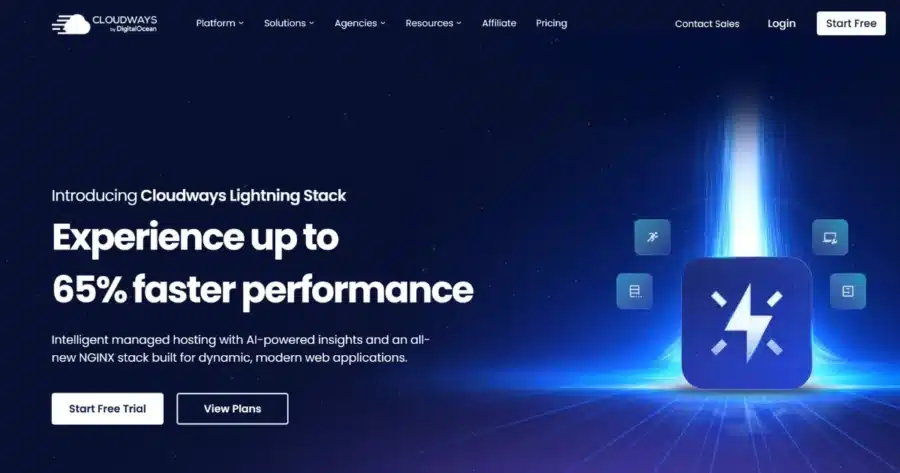
Cloudways offers two managed WooCommerce options—Flexible and Autonomous. Flexible lets you choose and scale your cloud server, while Autonomous handles the infrastructure and scales automatically.
Inside Cloudways’ WooCommerce plans:
- Flexible: Customizable managed hosting for WooCommerce where you choose from DigitalOcean, Vultr, Linode, AWS, or Google Cloud. Then, you select the server type, location, RAM, vCPU, and storage. You can scale resources vertically as your store grows. This tier includes Object Cache Pro, Redis Cache, advanced staging and cloning, a firewall, and a WordPress vulnerability scanner.
- Autonomous: Fully managed hosting for WordPress with zero server configuration and 1-click operations. It automatically scales resources as traffic changes and is designed for high-traffic ecommerce sites. Plans include Cloudflare Enterprise CDN, Redis caching, Object Cache Pro, automated backups and staging, WAF, and DDoS protection.
Both options can host WooCommerce applications without requiring you to manage the underlying servers yourself. Cloudways manages the underlying cloud infrastructure and provides free migration, SSL, and 24/7 expert support.
Cloudways Pricing
- Flexible: Plans use pay-as-you-go pricing. The entry plan starts at $11/month on DigitalOcean for 1 GB RAM, 1 vCPU, 25 GB SSD storage, and 1 TB bandwidth.
- Autonomous: The lowest plan, Growth, costs $99/month, Scale costs $199/month, and Plus costs $399/month.
Where It Wins
Flexible lets you match the server to the store. You can choose the cloud provider, server type, location, RAM, vCPU, and storage, then scale those resources vertically when needed.
Autonomous is built for traffic that changes. Its baseline servers can scale automatically, so you don’t have to upgrade or downgrade the server manually during traffic spikes.
Where It Falls Short
Flexible gives you more control, but that also means choosing the infrastructure yourself.
Autonomous removes those decisions, but its $99/month Growth plan is much more expensive than Flexible’s $11/month starting point.
Planning for traffic surges? Our guide to hosting for high-traffic WordPress sites goes deeper on scaling.
How to Choose The Best Hosting for WooCommerce
Here’s what to look for when comparing WooCommerce plans:
- Checkout speed under load: This is where server resources matter most. JetHost publishes 1.5 to 4 CPU cores on its WooCommerce plans, while Cloudways lets you choose RAM and vCPU based on the server you need.
- Catalog size: Large catalogs need room for products, images, and other store data. JetHost goes up to 200 GB of storage, while Hostinger offers 50 GB on Unlimited and 100 GB on Cloud Startup. SiteGround ranges from 10 GB on StartUp to 100 GB on GoGeek.
- Moving an existing store: Migration support can save hours of manual work. JetHost handles WooCommerce migrations for you, SiteGround offers expert migration or its WordPress Migrator, and Bluehost includes free store migration.
- Protecting order data: Look at both backup frequency and how easy it is to restore. Cloudways lets you schedule backups as often as hourly, SiteGround keeps 30 daily copies, and JetHost backs up three times a week on WP Start and daily on higher plans.
- Running several stores: Agencies and merchants with multiple sites need a plan that can hold them without separate hosting accounts. JetHost WP Maverick supports 100 websites; Hostinger offers unlimited websites on two WooCommerce plans, while SiteGround StartUp plan is limited to one site or store.
- Cost after the first term: The long-term cost of hosting ecommerce sites can look very different from the advertised starting price. SiteGround StartUp goes from $2.99 to $17.99/month after the first year, six times its introductory rate, while Hostinger’s $3.99 Unlimited plan renews at $16.99/month after its 48-month term. Cloudways uses pay-as-you-go pricing instead of a renewal rate.
- Help during an outage: Customer support matters most when the store is already having a problem. JetHost, SiteGround, Cloudways, and Hostinger all advertise 24/7 support, while Bluehost offers 24/7 expert support by chat and phone.
Final Look at the Options
The best hosting for WooCommerce gives your store enough resources, caching, and storage without making the long-term cost hard to justify.
JetHost is the strongest overall fit here, with isolated resources, WooCommerce-focused performance features, free migration, and 24/7 support at competitive prices.
The other providers serve different needs, from SiteGround’s managed performance and Bluehost’s bundled store tools to Cloudways’ infrastructure control and Hostinger’s lower entry price.
Look beyond the intro price and choose the plan that matches your store now and as it grows.
Find the right JetHost hosting plan for your WooCommerce store.
FAQ
Which WP hosting is best for WooCommerce?
JetHost stands out as a strong WP hosting option for WooCommerce. Its WP Maverick plan includes 2 CPU cores, 3 GB RAM, 75 GB storage, and staging. SiteGround GrowBig also includes staging, while Hostinger Cloud Startup offers 4 CPU cores, 4 GB RAM, and 100 GB storage.
Is hosting for WooCommerce different from regular hosting for WordPress?
Yes. Hosting for WooCommerce is built to handle more dynamic requests. Cart, checkout, and account pages cannot be fully cached, so stores need more server resources than typical WordPress sites. WooCommerce plans often include more PHP workers, object caching, and higher CPU or RAM limits.
Can WooCommerce handle a large store?
Yes, but large stores need adequate hosting and database resources. WooCommerce can support catalogs with tens of thousands of products. As a store grows, product variations, orders, and plugins create more database queries. Enough memory, CPU capacity, and regular database maintenance become increasingly important.
Does hosting for WooCommerce improve store speed?
Yes, if the hosting plan for WooCommerce provides better server resources and caching. LiteSpeed or NGINX can cache product and category pages, while Redis reduces repeated database queries. NVMe storage and a CDN can also improve load times. For busy stores, PHP capacity and database performance matter most for dynamic requests such as checkout.


Top articles
Our Picks
- 6 minutes read
7 Signs It’s Time to Switch Your Web Hosting Provider
Most people don’t think about their hosting until something breaks. But if your website has been acting up – slower pages, random errors, or unreliable support – it might be…
- 4 minutes read
eDesign Interactive on Pressure, People & Creativity
Client: George, CEO of eDesign Interactive Industry: Web Design, Digital Strategy & Interactive Marketing Website: edesigninteractive.com Relationship: Long-time collaboration with the team behind JetHost
- 2 minutes read
Case Study: How SEO Rush Got 5x Faster with JetHost
Client: SEORUSH Industry: SEO & Digital Marketing Website: seorush.org Service: JetHost WordPress Hosting When you run an SEO agency, your website needs to perform as well as the results you…
Related Posts
 11 minutes read
Best Reseller Hosting for WordPress: 6 Platforms Worth Building a Business On
Looking for the best reseller hosting for WordPress? We compare 6 hosting platforms by pricing, WHM access, white-label features, support, and more to help you choose the right solution for…

- 10 minutes read
What Is the Best Hosting for WordPress With Free Migration: 8 Top Providers
Compare 8 WordPress hosting providers offering free website migration, including JetHost, Hostinger, SiteGround, Bluehost, and more. Explore migration methods, pricing, email transfers, and what’s included to find the right host…
- 12 minutes read
6 Fastest Hosting for WordPress Compared in 2026
Looking for the fastest hosting for WordPress in 2026? We compare six leading providers—JetHost, Cloudways, Kinsta, Hostinger, Rocket.net, and Bluehost—exploring their performance features, pricing, caching technologies, and infrastructure to help…