The fastest hosting for WordPress (WP) is JetHost, followed by Cloudways, Kinsta, Hostinger, Rocket.net, and Bluehost.
Each of the six WP hosting providers we compared brings a distinct performance advantage, whether that’s LiteSpeed Enterprise servers, Cloudflare Enterprise CDN, or under 100ms TTFB (time to first byte) results.
But why is fast hosting important?
Slow pages lead to lost conversions. A one-second load time can deliver 2.5x higher conversion rates than a five-second load time.
Moreover, traditional and AI search engines use response time for ranking, meaning your web hosting choice is also an SEO decision.
If speed, uptime, and Core Web Vitals are your priority, the fastest hosting providers for WordPress we picked are worth your attention.
The 6 Fastest Hosting for WordPress Compared
Before diving into the full breakdown, here’s a side-by-side look at all six high-speed WP hosting providers:
| Provider | Starting Price | Infrastructure | CDN |
|---|---|---|---|
| JetHost | $1.99/mo | LiteSpeed Enterprise + Cloud NVMe | Free Cloudflare CDN |
| Cloudways | $11/mo | DigitalOcean, AWS, Google Cloud, Vultr, Linode | Cloudflare Enterprise |
| Kinsta | $30/mo | Isolated containers | 300+ edge locations |
| Hostinger | $3.99/mo | LiteSpeed + NVMe | Global CDN |
| Rocket.net | $1 special intro pricing | Edge servers at Internet Exchanges, directly peered with local ISPs | Enterprise CDN |
| Bluehost | $4.99/mo | NVMe SSD | Global CDN |
Not sure how to evaluate your options before committing? Our guide on how to choose the best hosting for WordPress walks you through the decision process step by step.
1. JetHost: Best Fastest Hosting for WordPress Overall

JetHost is built around a performance stack called JetFast, combining LiteSpeed Enterprise servers with Redis caching, OPcache, LSAPI, and Cloud NVMe SSD storage across every plan. It’s the fastest hosting service for WordPress that starts under $2/month with all important features, even at the entry level.
Every plan includes SSH, WP-CLI, Git, staging environments, and the full LiteSpeed cache (LSCWP) layer. For WordPress websites that need speed without the premium managed WP hosting price tag, JetHost hits the right balance.
Plans run from $1.99/mo (WP Mini) to $10.99/mo (WP Business), with renewals between $8.99 and $36.99/mo. A 60-day money-back guarantee applies to all plans. The WP Start, Maverick, and Business plans include a free domain for the first year.
| Plan | Price | Websites | Monthly Visits | Storage |
|---|---|---|---|---|
| WP Mini | $1.99/mo | 1 | 15,000 | 10 GB Cloud NVMe |
| WP Start | $2.99/mo | 25 | 30,000 | 25 GB Cloud NVMe |
| WP Maverick | $5.99/mo | 100 | 90,000 | 75 GB Cloud NVMe |
| WP Business | $10.99/mo | 150 | 200,000 | 200 GB Cloud NVMe |
Key Speed and Performance Features
- LiteSpeed Enterprise with LSCWP: Server-level caching and image optimization.
- Redis Object Caching: Keeps frequently accessed data in memory for faster dynamic site loading.
- OPcache: Stores precompiled PHP scripts in memory, cutting response time to milliseconds.
- LSAPI: A high-performance PHP handler built specifically for LiteSpeed; faster than PHP-FPM under load.
- Cloud NVMe Storage: Faster I/O than standard SSD storage across all plans.
- Free Cloudflare CDN: Integrated content delivery network that caches assets at edge nodes globally.
- Patchstack Vulnerability Scanner: Proactive virtual patching against RCE, SQLi, XSS, and zero-day threats in WordPress core, plugins, and themes. Included for one domain on WP Business; available as a $3.99/mo add-on on other plans.
- JetHost AI Connector: Connects your JetHost account to AI assistants like Claude, ChatGPT, Cursor, and Lovable for automated site management and development workflows.
- DDoS Protection + Web Firewall + Malware Scanning: Security stack running at the server level.
- Free SSL certificate: HTTPS encryption on all plans to protect data and reassure visitors that your site is secure.
JetHost Pros and Cons
| Pros | Cons |
|---|---|
| LiteSpeed Enterprise + Redis + NVMe storage on every plan | WooCommerce not supported on the entry WP Mini plan |
| SSH, WP-CLI, Git, and staging from $1.99/mo | Patchstack is included for one domain only on Business; add-on cost on lower tiers |
| Free Cloudflare CDN integration on all plans | Renewal pricing is higher than intro pricing |
| 24/7 phone, live chat, and email customer support | |
| 60-day money-back guarantee |
Your WordPress site deserves hosting that keeps up. Try JetHost and feel the difference speed makes.
2. Cloudways: Best for Flexible Cloud Hosting Performance

Cloudways is a cloud platform that lets you choose your underlying infrastructure—DigitalOcean, Vultr, Linode, Google Cloud Platform, or AWS. Its managed layer provides caching, security, staging, and backups.
Cloudways is the strongest option if you want infrastructure flexibility alongside genuine managed performance tuning. Plus, there are no long-term contracts (pay-as-you-go, hourly billing).
The content delivery network (CDN) is Cloudflare Enterprise, which means DDoS protection, edge caching, and bot filtering are all built in. The performance stack combines Apache, NGINX, PHP-FPM, MySQL/MariaDB, Memcached, Varnish, and Redis, with application-level configuration options.
Hosting starts at $11/mo on standard DigitalOcean plans. Vultr plans start at $14/month. The most budget-friendly Linode plan is also $14/month. The entry-level AWS plan costs $20.56/mo. Google Cloud plans are available from $37.33/mo.
Key Speed and Performance Features
- NGINX + PHP-FPM stack: High-concurrency architecture that handles traffic spikes without queue buildup.
- Built-in Redis, Varnish, and Memcached: Multiple caching layers configurable per application.
- Cloudflare Enterprise CDN: Edge caching across a global network for reduced latency and improved website speed.
- NVMe-based servers: Available on DigitalOcean Premium and Vultr (except the standard plans).
- Server and app cloning: Duplicate entire environments for testing or scaling.
- Global data centers: Deploy closest to your audience across the US, Europe, Asia-Pacific, and beyond.
Cloudways Pros and Cons
| Pros | Cons |
|---|---|
| Choice of 5 cloud providers | Email hosting excluded from all plans |
| Cloudflare Enterprise CDN and DDoS protection included | Phone customer support is a premium feature |
| Object Cache Pro available free on Flexible servers | Higher entry cost than shared hosts |
| 65+ global data centers | |
| No site limits; host as many sites as server capacity allows |
If you need reliable infrastructure, this guide covers the best WP hosting for high-traffic sites.
3. Kinsta: Fastest Managed Hosting for WordPress With Isolated Containers

Kinsta runs each WordPress site in an isolated Linux container with its own software environment, including NGINX, PHP, and MySQL.
Its infrastructure spans 30 global data centers, while Kinsta’s Cloudflare-powered CDN and Edge Caching extend content delivery across more than 300 global locations. Kinsta’s newer infrastructure uses Oracle Cloud Infrastructure (OCI), replacing its previous Google Cloud setup in upgraded regions.
Single-site plans start at $30/month. Annual billing includes two months free. Agency plans start at $284/month (billed annually).
Key Speed and Performance Features
- Isolated Linux containers: Each site runs in its own isolated container with dedicated CPU and RAM allocations.
- Cloud infrastructure: High-performance cloud infrastructure across 30 global data centers.
- Edge caching: Cloudflare-powered edge caching stores cached pages at over 300 global locations without requiring a separate plugin.
- Application Performance Monitoring (APM): Identify slow PHP transactions, database queries, and other bottlenecks in MyKinsta (Kinsta’s custom control panel).
- DevKinsta: Free local WordPress development environment with integration for Kinsta-hosted sites.
- Kinsta API: Automate site and environment management through the REST API.
- Free SSL + DDoS protection: Cloudflare-powered security is included.
Kinsta Pros and Cons
| Pros | Cons |
|---|---|
| Isolated containers per site, no resource contention | One of the most expensive entry points at $30/mo |
| Built-in APM for diagnosing performance issues | No phone support; chat only |
| 300+ CDN edge locations via Cloudflare | No email hosting included |
4. Hostinger: Fastest Shared Hosting for WordPress at Low Cost

Hostinger uses LiteSpeed servers and NVMe SSDs, making it a strong choice among the fastest hosting companies for WordPress on this list. Smart caching, automatic image optimization, and code minification are all built into the platform.
Managed plans start at $3.99/mo (12-month term). The Unlimited plan at $4.99/mo is the most popular, adding NVMe storage, daily backups, and priority customer support. Renewal pricing rises to $10.99/mo–$25.99/mo.
Key Speed and Performance Features
- LiteSpeed servers: The same enterprise web server stack used by higher-priced managed hosts.
- NVMe SSD storage: Faster I/O than SATA SSDs available on Unlimited and Cloud Startup plans.
- Smart caching + code minification: Automatic optimization applied without plugin setup.
- Image optimization: Automatic compression on upload to reduce page weight.
- Global CDN: Included across managed plans to reduce latency for international visitors.
- AI Website Optimizer: Reports up to 20% performance improvement for WordPress websites.
- 99.9% uptime guarantee with 24/7 monitoring.
- One-click staging: Test changes before pushing live, directly from hPanel.
- DDoS mitigation + WAF: Security at the server level, not reliant on plugins.
- Free SSL + malware removal: Included on all plans.
Hostinger Pros and Cons
| Pros | Cons |
|---|---|
| LiteSpeed + NVMe stack | Renewal pricing significantly higher than intro rates |
| SSH, WP-CLI, Git, and WordPress staging tool | Entry-level Premium plan is relatively basic |
| AI Website Troubleshooter resolves 70% of issues automatically | hPanel replaces cPanel entirely; different learning curve |
| Free domain for one year | |
| Unlimited free SSL certificate |
If you’re considering Hostinger but want to explore alternatives, this comparison of the best Hostinger alternatives is worth a look.
5. Rocket.net: Fastest Raw Website Speed with Cloudflare Enterprise Edge
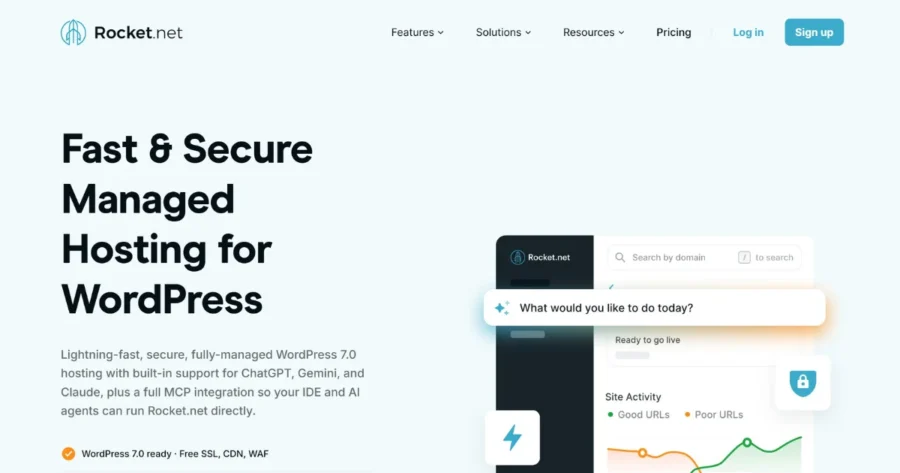
Rocket.net claims an average TTFB (time to first byte) of ~83ms, compared to ~504ms for Kinsta and ~625ms for Cloudways in their own published benchmarks. These are significant gaps.
The platform routes traffic through Cloudflare Enterprise and includes unlimited PHP workers at no extra cost.
Rocket.net has a $1 special intro price. Otherwise, the lowest-tier plan (Starter) costs $25/mo. You get no restrictive PHP worker limits and no hidden upsells. SSL, CDN, and WAF are all included. A 30-day money-back guarantee applies.
Key Speed and Performance Features
- Cloudflare Enterprise Edge network: Every request is routed through Cloudflare’s high-performance global infrastructure for maximum site speed.
- Unlimited PHP workers: No throttling under traffic spikes, which is critical for WooCommerce, Learning Management System (LMS), and dynamic WordPress websites.
- Free WP Rocket: One of the most effective WordPress caching plugins, included at no extra cost.
- Enterprise CDN: Built-in content delivery network; no third-party setup required.
- WAF and malware protection: Security built into the stack.
- AI and MCP-Native: Built-in support for ChatGPT, Gemini, and Claude via an official Model Context Protocol server.
- HTTP/3 support: Latest protocol for reduced connection latency.
- Free unlimited migrations: Handled by the support team, typically completed in under an hour.
- Free SSL certificate: Included on all plans.
Rocket.net Pros and Cons
| Pros | Cons |
|---|---|
| ~83ms TTFB | Pricing beyond the intro offer is on the higher end |
| Unlimited PHP workers on all plans | Smaller brand recognition than competitors |
| Cloudflare Enterprise CDN and DDoS protection | |
| Free WP Rocket (normally a paid plugin) included |
6. Bluehost: Reliable Fastest Managed Platform for Everyday WordPress Sites

Bluehost claims to deliver 0.35s average load time and a 98/100 performance score on its WordPress plans.
It uses NVMe SSD storage, a global CDN, and a redundant server architecture with automatic failover. The 99.99% uptime SLA puts it among the reliable hosting services on this list for a consistent user experience.
Plans start at $4.99/mo and renew at $11.99/mo. All managed WP hosting plans include a free SSL certificate, free CDN, DDoS protection, and a WAF. Phone support is included from the Business plan upward.
Key Speed and Performance Features
- NVMe SSD storage: Faster read/write speeds than SATA SSD across all plans.
- Global CDN free: Content delivery network included on every plan — no add-on needed.
- HTTP/3 support: Modern protocol and runtime for maximum website speed.
- Static and object caching: Both types of caching included for faster dynamic and static content delivery.
- Malware detection and removal: Included on all plans.
- WAF + DDoS protection + weekly backups: Full security stack included.
- Free SSL certificate: Let’s Encrypt SSL included on all plans.
Bluehost Pros and Cons
| Pros | Cons |
|---|---|
| NVMe SSD and global CDN across all plans | Phone support not included on Starter plan |
| DDoS protection, WAF, and daily malware scanning | Free migration limited to 5 sites within the first 30 days |
| 99.99% uptime SLA | Renewal pricing about 2 times higher than intro offers |
Looking for alternatives with similar reliability? Here’s a full breakdown of the best alternatives to Bluehost if you want to compare before deciding.
How to Choose the Fastest Hosting Provider for WordPress for Your Site
When picking a fast WP hosting provider, your choice comes down to three things: how much traffic you get, what you can spend, and what your site does.
Let’s break it down to make it easier for you.
Pick a host by traffic volume:
- Under 30,000 visits/month → JetHost WP Start or Bluehost Starter
- 30,000–100,000 visits/month → JetHost WP Maverick, Bluehost Business, or Rocket.net
- 100,000+ visits/month → Cloudways or JetHost WP Business
Choose speedy hosting by budget:
- Under $5/mo → JetHost or Hostinger
- $5–$20/mo → Cloudways by DigitalOcean or Bluehost Business
- $20+/mo → Kinsta or Rocket.net
Select fast WP hosting by use case:
- Agencies managing multiple client sites → JetHost (Partner Program) or Kinsta
- Developers needing infrastructure control → Cloudways or Rocket.net (MCP/AI native)
- First-time site owners → JetHost, Hostinger, or Bluehost
- WooCommerce and high-concurrency sites → Rocket.net or Cloudways
For a deeper look at performance-tuned options for developers specifically, this guide on the best hosting for WordPress for developers covers SSH, WP-CLI, Git, and staging in detail.
The Bottom Line
Picking the fastest hosting for WordPress is one of the best investments you can make for your site. You get better rankings, lower bounce rates, and a smoother experience for every visitor.
Any of the six providers on our list will outperform standard shared hosting on speed, Core Web Vitals, and real-world website performance.
JetHost doesn’t ask you to choose between speed and affordability. It offers LiteSpeed Enterprise, Redis, NVMe, and a free CDN from $1.99/mo.
Gives your WordPress site the speed, security, and support it needs to grow.
FAQ
What makes a hosting provider for WordPress fast?
Key factors include server-level caching (Redis, Varnish, OPcache), NVMe or fast SSD storage, a built-in content delivery network (CDN), PHP workers, and modern protocols like HTTP/3. These matter more than raw server specs for real-world site speed.
Is shared hosting fast enough for WordPress?
Entry-level shared hosting can be sufficient for low-traffic sites, but it introduces resource contention. If performance and Core Web Vitals matter to your business, managed or cloud WP hosting with dedicated resources will consistently outperform shared hosting.
Does the control panel affect WordPress speed?
No, but a good control panel makes it easier to configure caching, staging, and PHP settings, all of which affect website speed.
Do I need a content delivery network for my WordPress site?
Yes. A CDN caches static assets at edge nodes close to your visitors, reducing response time and improving Core Web Vitals, especially Largest Contentful Paint (LCP). All six providers in this list include a CDN at no extra cost.
How do data centers affect website speed?
The physical distance between your server and your visitors affects latency. Hosting with multiple global data centers or using a CDN reduces that gap.
Are renewal prices the same as intro prices?
No. Most providers use promotional intro pricing. Always check the renewal price before committing to a long-term plan.


Top articles
Our Picks
- 6 minutes read
7 Signs It’s Time to Switch Your Web Hosting Provider
Most people don’t think about their hosting until something breaks. But if your website has been acting up – slower pages, random errors, or unreliable support – it might be…
- 4 minutes read
eDesign Interactive on Pressure, People & Creativity
Client: George, CEO of eDesign Interactive Industry: Web Design, Digital Strategy & Interactive Marketing Website: edesigninteractive.com Relationship: Long-time collaboration with the team behind JetHost
- 2 minutes read
Case Study: How SEO Rush Got 5x Faster with JetHost
Client: SEORUSH Industry: SEO & Digital Marketing Website: seorush.org Service: JetHost WordPress Hosting When you run an SEO agency, your website needs to perform as well as the results you…
Related Posts
 13 minutes read
Hosting for WordPress for Web Designers: 6 Providers That Keep Client Sites Fast
The best hosting for WordPress for web designers is JetHost, Hostinger, and SiteGround, followed by Bluehost, DreamHost, and HostGator. Your web designer portfolio does more than showcase your work. It…

-
8 minutes read
Weebly Shutting Down: 6 Alternatives to Migrate Your Site To
Weebly is shutting down in 67 countries. If you’re affected, you need to move your site to a new platform by December 26, 2026. Consider these alternatives: JetHost, Wix, Squarespace,…
- 3 minutes read
10 best File Transfer Protocol (FTP) clients
Everyone who runs a website ends up needing one: a good FTP client. It is the app that moves files between your computer and your server – and the difference…