The best choice of hosting for WordPress (WP) with free migration is JetHost. Other top providers include Hostinger, SiteGround, Bluehost, DreamHost, Hosting.com, Kinsta, and WPX.
What you get with free migration varies with different hosting providers. Some hosts have experts who migrate your WordPress site for you. Others provide a migration plugin and leave the process to you.
The support you get can make a big difference, especially if you’re moving an established website you can’t afford to have offline.
We compared 8 WordPress (WP) hosts by migration method, coverage, and the true cost of moving your sites and mailboxes, so you know what to expect before switching.
What Does Free WordPress Migration Include?
Free WordPress website migration comes in two forms:
- Host-managed migration: The hosting provider’s team moves your WordPress files, database, and settings, then checks that the site works. You typically provide your login details and wait for confirmation.
- Self-service migration tool: You use the host’s migration plugin or tool to transfer the site yourself. It handles your WordPress files and database, but usually doesn’t move email accounts, so check whether email migration is included before signing up.
Which Providers Offer Hosting for WordPress With Free Migration?
All 8 hosts below offer free migration. 5 of them have a team to do it for you. The other 3 give you a self-service plugin or tool.
| WP Host | Migration Method | Free Migration Coverage | Entry Plan Price | Renews At |
|---|---|---|---|---|
| 1. JetHost | Team-handled | Unlimited sites and email accounts | $1.99/month | $8.99/month |
| 2. Hostinger | Team-handled | All websites allowed by the plan; one request per site; Email excluded | $3.99/month | $10.99/month |
| 3. SiteGround | Self-service plugin | Free WordPress Migrator plugin with unlimited migrations; Email Migrator tool | $2.99/month | $17.99/month |
| 4. Bluehost | Self-service tool; paid migration available for $149.99/site; email migration offered separately at $99/mailbox | Site migration tool | $4.99/month | $11.99/month |
| 5. DreamHost | Self-service plugin; Team-handled migration free on DreamPress plans or $99/site on standard plans; Email migration is a separate service | DreamHost Automated Migration plugin; Professional migration with DreamPress plans | $2.89/month – shared; $14.99/month – DreamPress | $10.99/month – shared; $19.99/month – DreamPress |
| 6. Hosting.com | Team-handled | All compatible sites | $4.49/month | $9.99/month |
| 7. Kinsta | Team-handled; Kinsta doesn’t offer email hosting | Unlimited migrations | First month free; $30/month after | $30/month |
| 8. WPX | Team-handled | Unlimited sites; Email migration starting from the Business plan | $14.99/month | $17.99/month |
Prices reflect 12-month terms and can change, so check each provider’s page before you commit.
1. JetHost: Its Own Team Moves Unlimited Sites and Email for Free
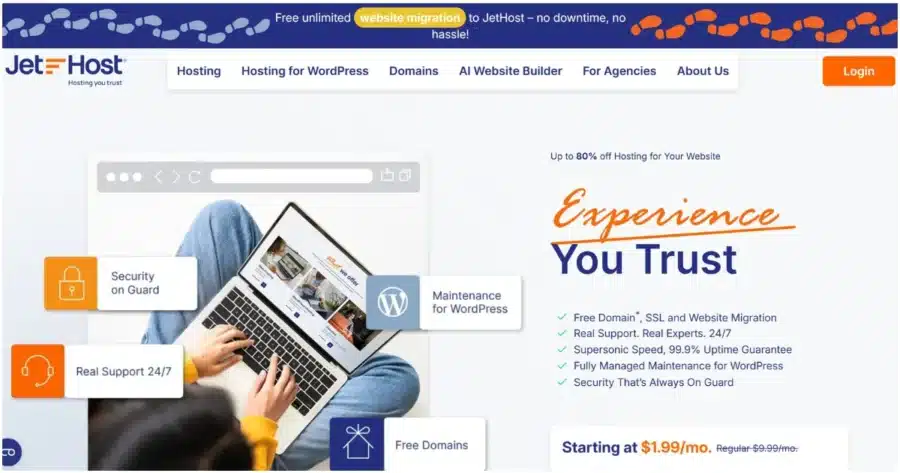
JetHost ranks first for the best hosting for WordPress with free migration because it moves your websites and email accounts for free on every plan, with no limit on the number of migrations. You choose a plan, send your website details, and the team handles the rest.
The transfer includes files, databases, themes, plugins, products, orders, and users. Your site stays online the whole time.
Standout features
You manage updates, backups, staging, and security from the JetHost WordPress Manager after the move.
You can also use the JetHost MCP Server, which connects your AI assistant to the hosting account. Once connected, you can manage your services, invoices, hosting configurations, and more with text prompts.
Every plan runs on LiteSpeed Enterprise servers with Cloud NVMe storage and 24/7 support from real people.
Patchstack protection is available as an add-on, while the WP Business plan includes it at no extra cost for one domain.
Pricing
JetHost pricing starts at $1.99/month for WP Mini and renews at $8.99/month. WP Mini hosts one site, so moving two or more sites starts on WP Start at $2.99/month, renewing at $10.99/month.
Every plan includes a free domain for one year, which is applicable for transfers, too.
Move to JetHost without the hassle. Let experts handle the migration for you.
2. Hostinger: Team-Handled Free Migrations From the Dashboard

Hostinger offers WP hosting with free site migration, and its migration team handles the transfer.
You submit your website URL, login details, and any available backup files through the migration form. Your site stays live throughout the migration, and you can migrate as many sites as your plan allows.
Pricing starts at $3.99/month on the Premium plan and renews at $10.99/month; it hosts 3 sites. The next plan, Unlimited, removes this cap for $4.99/month, renewing at $16.99/month. All plans include a free domain for a year.
Our breakdown of hosts like Hostinger compares alternatives with similar entry prices.
Things to keep in mind
- Bulk migrations aren’t available. Each website requires a separate migration request. Hostinger allows multiple migrations as long as your hosting plan has enough resources, with up to five active requests at a time.
- Websites already hosted at Hostinger don’t qualify for free migration. You must move them manually between accounts or hosting plans, or use Hostinger’s paid internal migration tool for WordPress sites.
- The source site must be self-hosted on an open-source CMS or a compatible platform. WordPress.com and WordPress Multisite are not supported by the automated flow and need a manual export.
- Websites built with a website builder cannot be migrated to Hostinger because these are closed-code platforms. Examples of such platforms include Wix, Squarespace, Shopify, and similar services.
3. SiteGround: Free WordPress Migrator Plugin With an Optional Paid Expert Transfer

SiteGround provides hosting for WordPress with free site transfer through its SiteGround Migrator plugin. You can move multiple WP sites this way.
You generate a transfer token in Site Tools, paste it into the plugin on your old site, and start the migration.
The plugin builds a copy on SiteGround’s servers, so your live site keeps running during the move. It keeps your URL structure and updates internal links when the domain changes.
SiteGround’s WordPress plans start at $2.99/month on StartUp for one website and renew at $17.99/month. The next plan, GrowBig, supports an unlimited number of sites and costs $4.99/month, renewing at $29.99/month.
Things to keep in mind
The WordPress Migrator Plugin transfer option isn’t suitable for localhost WordPress sites or for Full Multisite installations.
4. Bluehost: A Free Self-Service Tool Inside the Bluehost Portal

Bluehost handles a free WordPress site transfer through a self-service tool. It’s powered by InstaWP, and you can locate it inside the Bluehost Portal.
To migrate your website to Bluehost for free, you enter your old site’s URL, log in to its WordPress dashboard, and approve the connection.
The tool then copies your files, content, and database. The copy continues in the background once it passes the halfway mark, even with your browser closed. Bluehost emails you when the migration starts, finishes, or fails.
Starter, the cheapest Bluehost managed WordPress plan, is $4.99/month and renews at $11.99/month. It covers 10 websites. Business raises the limit to 50 sites at $7.99/month, renewing at $15.99/month. Every plan includes a free domain for the first year.
Things to keep in mind
- Bluehost doesn’t support transferring .uk domains.
- Email migration sits outside the free offer and costs $99 per mailbox.
Looking beyond Bluehost? Our article compares Bluehost competitors across characteristics like pricing, features, and support.
5. DreamHost: Free Automated Migration Plugin, With Expert Help on DreamPress

DreamHost offers hosting for WordPress with free migration across its plans. On shared plans, you can move your WordPress site using the Automated Migration plugin. A guided workflow in the control panel walks you through the process.
If you choose their managed hosting for WordPress, DreamPress, DreamHost’s team handles the website migration for you at no extra cost.
The shared Launch plan starts at $2.89/month and renews at $10.99/month. It includes 25 sites. The next tier, Growth, hosts 50 websites at $3.99/month and renews at $12.99/month.
DreamPress plans start at $14.99/month for one website and renew at $19.99/month. The number of professional migrations matches the number of websites included in the plan.
Things to keep in mind
- If you choose a shared WordPress plan, the professional transfer costs $99/website.
- Email migration is handled separately and may require additional setup or costs.
- DreamHost doesn’t support transfers of proprietary site builders and hosting services such as Wix, Squarespace, or Weebly, and Windows Server-based Active Server Pages (ASP) websites.
6. Hosting.com: Expert-Led Website Migration for WordPress Sites

Hosting.com offers free website migration for WordPress by experts on its shared and managed plans.
The website migration can include your email and domain, not just your website. The experts move mailboxes, messages, folders, aliases, forwarders, and catch-alls. They manage the move end-to-end and test the site before it goes live.
You contact support, share the details they request, and the team moves the site with no downtime.
Hosting.com pricing starts at $4.49/month on the Small plan for WordPress and renews at $9.99/month. The Medium plan raises the price to $4.99/month, renewing at $17.99/month.
The managed WordPress plans include staging, a WAF, malware protection, and 14-day backup retention.
If you’re looking for more options, our selection of alternatives to Hosting.com covers hosts in the same category.
7. Kinsta: Team Migrations up to Your Plan’s Site Limit
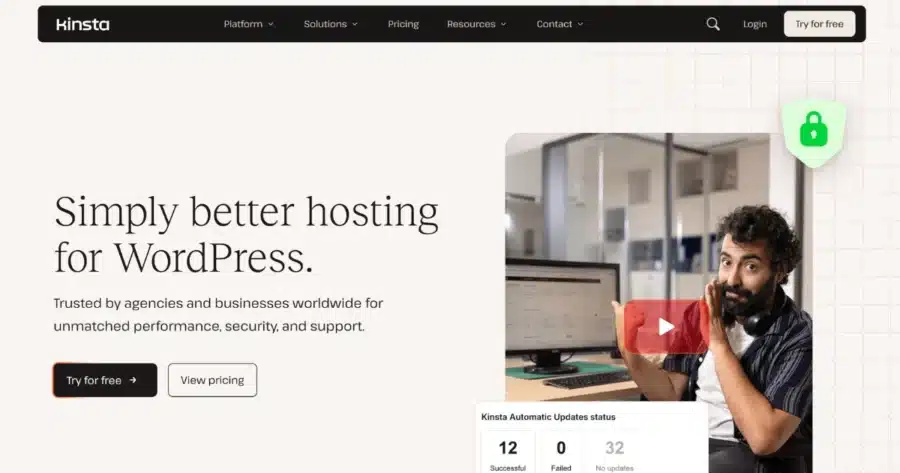
Kinsta offers unlimited free WordPress migrations, but the number of sites you can move depends on how many WordPress sites your plan supports.
Its dedicated migrations team handles the transfer for you and removes any malware it finds during the move for free.
The entry plan, called Business, costs $30/month for one site with the first month free.
Things to keep in mind
- Kinsta handles migrations Monday through Friday only.
- An expedited migration costs $49 per site and targets an 8-hour turnaround.
8. WPX: Unlimited Expert Migrations With Email Included

WPX’s migration team moves unlimited WordPress sites for free, no matter how many you have or how large they are. The service includes files and databases; email migration is part of the higher-tier plans.
The host commits to moving your site within 24 hours of approving the request.
Every site gets a malware scan during the transfer, and WPX cleans infections for free.
Pricing starts at $14.99/month on Starter and renews at $17.99/month. It covers one website. Business covers up to five at $24.99/month, renewing at $29.99/month.
Things to keep in mind
- You update the nameservers at your domain registrar yourself.
- Malware cleanup can stretch the migration timeline to 72 hours.
- A domain change during the move costs $98.
- Express Migration, which skips the queue, costs $100.
The Bottom Line
Hosting for WordPress with free migration for both your site and email is possible with certain hosting providers.
JetHost stands out among hosts that provide free migration because it covers unlimited sites and email accounts with no separate migration fees.
If you have multiple websites, email accounts, or a WooCommerce store, check the migration coverage before comparing hosting prices.
Skip the manual work and let JetHost handle your WordPress site migration.
FAQ
Which migration option is right for my site: team-handled or self-service?
A team-handled migration fits you best if you move email, a store, or more than one site. A self-service tool does the job for one standard site if you can run a plugin and follow instructions. Count your sites and mailboxes before you compare prices, since per-site and per-mailbox fees may add up.
Will my site go offline during a free migration?
No, your site stays online because the hosting provider copies it to the new server first. You switch your DNS only after the new copy works. Avoid editing the old site between the copy and the DNS switch. The migration won’t carry over changes you make in the meantime.
What do I need before requesting a migration?
To prepare for a migration, gather the 4 items below:
- Your WordPress admin login and your current hosting control panel login.
- Database access details, if your current host provides them.
- The login for your domain registrar for the DNS change.
- Create a fresh backup of the site as a fallback.
Can I move my site to a new domain for free?
Some hosting providers include domain changes with free migrations, while others charge an additional fee. You’ll also need to pay for the new domain unless you already own it. Ask your new host before you submit the request, since a domain change needs extra database work.


Top articles
Our Picks
- 6 minutes read
7 Signs It’s Time to Switch Your Web Hosting Provider
Most people don’t think about their hosting until something breaks. But if your website has been acting up – slower pages, random errors, or unreliable support – it might be…
- 4 minutes read
eDesign Interactive on Pressure, People & Creativity
Client: George, CEO of eDesign Interactive Industry: Web Design, Digital Strategy & Interactive Marketing Website: edesigninteractive.com Relationship: Long-time collaboration with the team behind JetHost
- 2 minutes read
Case Study: How SEO Rush Got 5x Faster with JetHost
Client: SEORUSH Industry: SEO & Digital Marketing Website: seorush.org Service: JetHost WordPress Hosting When you run an SEO agency, your website needs to perform as well as the results you…
Related Posts
 12 minutes read
6 Fastest Hosting for WordPress Compared in 2026
Looking for the fastest hosting for WordPress in 2026? We compare six leading providers—JetHost, Cloudways, Kinsta, Hostinger, Rocket.net, and Bluehost—exploring their performance features, pricing, caching technologies, and infrastructure to help…

- 13 minutes read
Hosting for WordPress for Web Designers: 6 Providers That Keep Client Sites Fast
The best hosting for WordPress for web designers is JetHost, Hostinger, and SiteGround, followed by Bluehost, DreamHost, and HostGator. Your web designer portfolio does more than showcase your work. It…
-
8 minutes read
Weebly Shutting Down: 6 Alternatives to Migrate Your Site To
Weebly is shutting down in 67 countries. If you’re affected, you need to move your site to a new platform by December 26, 2026. Consider these alternatives: JetHost, Wix, Squarespace,…