The best hosting for WordPress for developers is JetHost, followed by WP Engine, Kinsta, Liquid Web, and Cloudways.
A strong hosting environment for developers should make SSH access, WP-CLI, Git workflows, staging, PHP control, caching, and support easy to use without adding unnecessary friction.
We compared popular hosting plans for WordPress (WP) and reviewed user feedback to identify the seven providers that offer the strongest mix of reliability, developer workflows, and day-to-day usability.
Our team works with hosting infrastructure for WordPress regularly, so this comparison focuses on the tools developers rely on in real projects, not surface-level feature lists.
What Features Do Web Developers Need From a Hosting Provider?
These are the hosting features that make the biggest difference for developers:
- SSH access: real shell access, not a restricted jailshell that blocks package managers or custom scripts.
- WP-CLI: command-line management for WordPress core, plugins, and databases without touching wp-admin.
- Git integration: code deployment via version control, not manual file uploads.
- Staging environments: isolated clones for testing before pushing live.
- PHP version control: the ability to switch PHP versions per site without server-level changes.
- Performance stack: NVMe or SSD storage, server-level caching, and a CDN that doesn’t require plugin configuration.
- Reliable uptime SLA (service-level agreement): a contractual guarantee, not just an informal promise.
- Expert support: people who can read a PHP error, not just restart a server.
The features above are non-negotiable for a developer-friendly hosting environment. Next, we will see how today’s hosting providers measure up in practice.
The Top WP Hosting Providers for Developers Compared
Finding the best hosting for WordPress for developers is easier when you can compare providers side by side.
The table below summarizes how the leading hosts stack up across performance, developer tools, support, pricing, and other factors that influence web development.
| Hosting Provider | Starting Price | Developer Tools | Uptime Guarantee | Customer Support |
|---|---|---|---|---|
| 1. JetHost | $1.99/month intro, billed annually | SSH, WP-CLI, Git, cPanel, staging | 99.9% | 24/7 phone, chat, email |
| 2. WP Engine | $30/month | SSH, WP-CLI, GitHub Actions/automated deployments, Local, staging/dev environments | Varies by plan; up to 99.99% SLA on premium isolated infrastructure | 24/7 chat support for WordPress; chat and phone support from Professional plan and above |
| 3. Kinsta | First month free, then $30/month annually | SSH, WP-CLI, Git client access, APM, DevKinsta, Kinsta API, staging | Up to 99.99% SLA | 24/7 expert support via chat; no phone support |
| 4. Liquid Web | $5/month, billed annually | SSH/SFTP, WP-CLI, Git, staging, visual comparison, Plugin Performance Monitor | 99.99% uptime | 24/7 phone, chat, ticket/email support |
| 5. Cloudways | $11/month | SSH, SFTP, WP-CLI, Git, Composer, API, staging, server cloning | 99.9% stated uptime on managed WP hosting | 24/7 live chat and ticket support |
| 6. DreamHost | $14.99/month | SSH, SFTP, WP-CLI, Git, 1-click staging | 100% uptime guarantee | 24/7 WordPress expert support; chat/email plus scheduled phone callbacks |
| 7. Hostinger | $3.99/month | SSH, WP-CLI, Git, PHP version control, staging, hPanel | 99.9% | 24/7 expert support |
1. JetHost
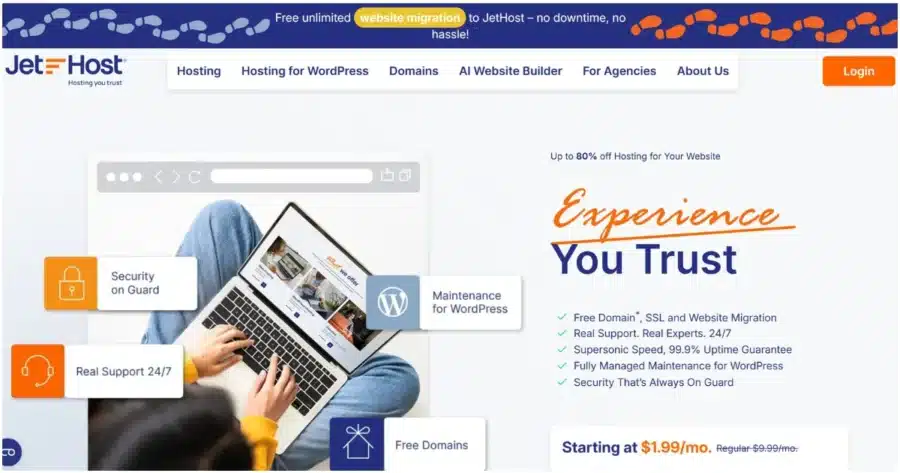
JetHost is a hosting platform for WordPress built for developers without the steep pricing that normally comes with developer-focused managed plans.
Every tier of its hosting for WordPress includes SSH, WP-CLI, Git, and staging, all running on a LiteSpeed Enterprise server stack with Redis object caching and NVMe storage.
Plans start from $1.99/month intro to $10.99/month, with renewals between $8.99 and $36.99 per month.
| Pros | Cons |
|---|---|
| SSH, WP-CLI, and Git are accessible from the cheapest plan, so you are never forced to upgrade just to unlock the tools you already need | Patchstack is only available in the highest tier and incurs additional costs per domain in the lower tiers |
| A phone support line from WordPress experts instead of chat queues during urgent incidents | |
| LiteSpeed Enterprise, Redis caching, and NVMe storage included at every tier for faster, more consistent performance |
Key Developer-Oriented Features
- cPanel + WP Manager: Manage installs, updates, staging, and site administration from WP Manager alongside cPanel.
- LiteSpeed Enterprise with Redis and OPcache: Enterprise web server with Redis object caching and PHP OPcache for improved application performance.
- WP Debug Mode: Toggle WordPress debug mode from WP Manager to reveal PHP errors, warnings, and notices.
- PHP workers up to 100 on the Business plan: Handles concurrent requests without timeouts under real traffic.
- Patchstack vulnerability scanner: Monitor WordPress core, plugins, and themes, and apply virtual patches for known vulnerabilities before official fixes are available.
- JetHost AI Connector: A secure connection between your JetHost account and your AI assistant (Claude, ChatGPT, Cursor, Loveble), enabling personalized answers based on your hosting environment. See AI Connector guides.
Ship WordPress sites faster with JetHost hosting built for developers—fast, reliable, and hassle-free.
2. WP Engine
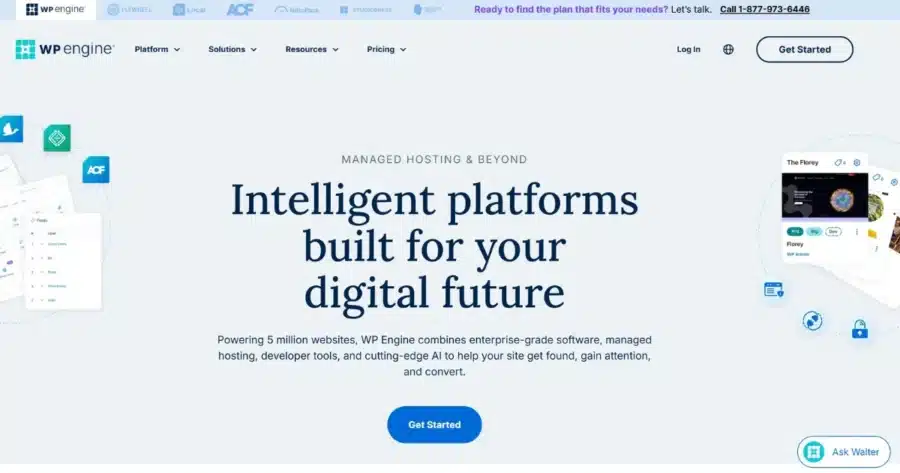
The next alternative hosting for developers is WP Engine. It’s a powerful solution for those who need production-grade WordPress infrastructure without managing servers themselves.
The platform combines proprietary EverCache technology for faster speed and developer workflows built around Local, SSH access, Git-based deployments, staging, and CI/CD integrations.
Plans start at $30/month for a single site.
| Pros | Cons |
|---|---|
| Streamlined deployment workflow that reduces DevOps overhead and makes shipping WordPress changes faster and safer | Phone support is not available on the Startup plan; it starts from Professional and above, which can be a constraint during urgent incidents |
| Built-in safety layer for updates, with visual regression checks that help prevent broken layouts after plugin or theme changes | WP Engine provides SSH access, but not root access, so low-level server administration and some custom server workflows are limited |
| Strong production reliability with managed infrastructure handling performance tuning, caching, and security automatically | Certain plugins are blocked by the platform for security reasons, which can interrupt your workflows |
Key Developer-Oriented Features
- SSH, SFTP, and WP-CLI: Secure command-line access via WP Engine’s SSH Gateway, providing access to your WordPress environment rather than direct root-level server access.
- Local development: Build WordPress sites locally with Local and move work into WP Engine environments through supported development workflows.
- CI/CD deployment workflows: Deploy code to WP Engine environments through GitHub Actions, Bitbucket Pipelines, or similar CI/CD tools using SSH Gateway.
- Application Performance Monitoring (APM): Optional performance monitoring for identifying code-level bottlenecks and slow transactions.
- Automated WP, PHP, and backup workflows: Managed updates, daily backups, one-click staging, and environment management through the WP Engine portal.
3. Kinsta
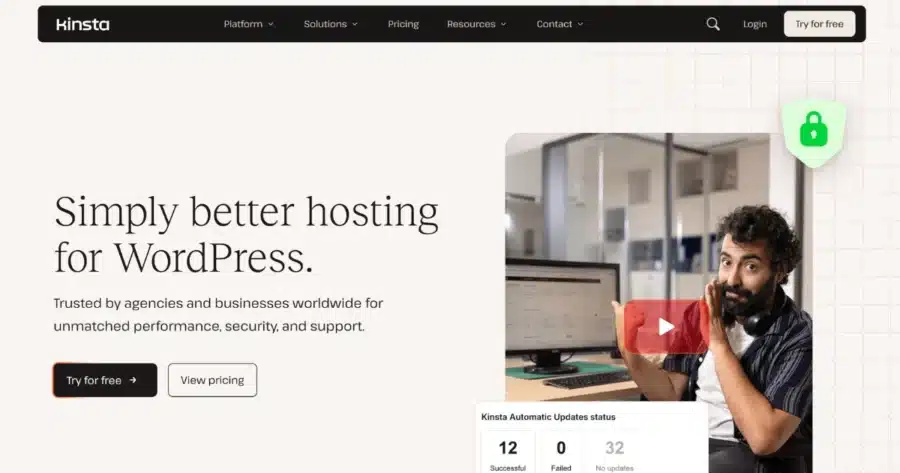
Kinsta runs each WordPress site in its own isolated container (LXC/LXD), equipped with dedicated CPU, RAM, PHP, MySQL, and NGINX resources that are not shared with any other site, including other sites on the same account. That means a sudden increase in traffic or a software issue on one website can’t impact the performance of any other website hosted on the same platform.
The MyKinsta dashboard gives developers a centralized interface for managing multiple WordPress sites, staging environments, backups, analytics, logs, and developer tools.
Single-site plans start with the first month free, then $30/month on annual billing.
| Pros | Cons |
|---|---|
| Managed WordPress environment with performance optimizations for business sites, ecommerce projects, agencies, and higher-resource WordPress workloads | At $30/month for one site, Kinsta is one of the most expensive entries on this list |
| Strong developer workflows and collaboration tools make it easier to build, test, and maintain WordPress sites across teams | Kinsta doesn’t offer phone support; support is handled through the MyKinsta chat system. |
| Built-in security features, automatic backups, malware support, and easy site recovery reduce the time spent on WordPress maintenance and troubleshooting | Kinsta doesn’t provide email as part of its hosting plans |
Key Developer-Oriented Features
- SSH, WP-CLI, and Git client access: SSH is included on all managed hosting plans for WordPress, WP-CLI is installed by default, and the Git client can be used over SSH to pull repositories from GitHub, GitLab, Bitbucket, or another Git provider.
- DevKinsta: Free local WP development environment for building sites locally and moving work between local and Kinsta environments.
- Built-in APM panel: Analyze slow PHP transactions, database queries, external HTTP calls, and plugin-related performance issues directly from the MyKinsta dashboard.
- Kinsta API: Automate common site and environment operations, including cache clearing, backups, staging workflows, and other MyKinsta actions.
- Staging and cloning: Create staging environments or clone live/staging sites to test changes, troubleshoot issues, or spin up new development environments faster.
If your work focuses more on building and maintaining client sites than on development tools, check out our guide on WordPress website hosting for web designers.
4. Liquid Web

Liquid Web offers managed hosting for WordPress with a performance-tuned environment, built-in security, free staging sites, daily backups, Cloudflare Enterprise, and expert migration support.
Plans start at $5/month for the Spark–Launch single-site tier, billed annually. The entry plan includes daily backups, unlimited visits, and self-serve migration.
| Pros | Cons |
|---|---|
| Liquid Web promises 99.99% uptime, which makes it a strong option for developers managing business-critical WordPress sites | The managed hosting plans don’t include cPanel, so developers who prefer a traditional cPanel setup may find it less suitable |
| Liquid Web team can handle website migrations, reducing the risk of data loss or downtime associated with a self-managed transfer | Key developer tools, including staging, Cloudflare Enterprise, DDoS protection, and the web application firewall, require a higher-tier plan |
| The Plugin Performance Monitor tracks page-level performance and helps identify which plugins may be slowing down a WordPress site |
Key Developer-Oriented Features
- SSH, WP-CLI, and Git: Developer tools for command-line WordPress management, version-controlled workflows, and advanced site maintenance.
- Daily backups: Spark–Launch includes daily backups with 7-day retention, while Spark–Thrive and Spark–Elevate extend retention to 30 days.
- Visual comparison: Available from Spark–Thrive and above to help catch front-end issues after updates.
- Cloudflare Enterprise, DDoS protection, and WAF: Included from Spark–Thrive and above for stronger edge security and traffic protection.
- Free staging site: Available on Spark–Elevate, making it a better fit for developers who need a separate testing environment before pushing changes live.
- PHP worker scaling: All Spark plans include 10 PHP workers per site, while Spark–Elevate adds 20 autoscaled PHP workers per site for heavier workloads.
5. Cloudways
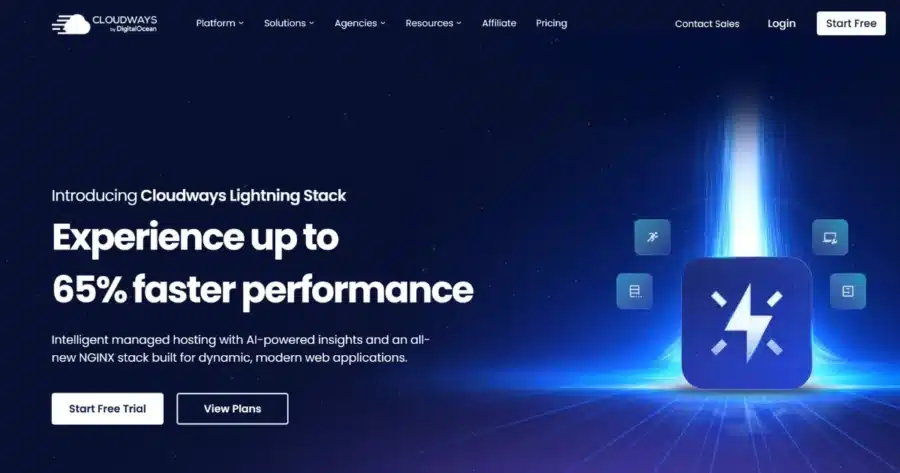
Cloudways is the most infrastructure-flexible option on this list. Instead of a fixed plan, you select a cloud provider from DigitalOcean, AWS, Google Cloud, Vultr, or Linode, a server size, and a data center location, then host as many WordPress sites as the server can support.
This model makes it the top WP hosting for developers who want cloud-level access without managing raw servers.
Entry pricing begins at $11/month on DigitalOcean, $14/month on Vultr and Linode, $20.56/month on AWS, and $37.33/month on Google Cloud.
| Pros | Cons |
|---|---|
| You pay for server capacity rather than site count, so a growing portfolio of client sites doesn’t keep triggering tier upgrades the way per-site pricing models do | Email hosting is excluded from all plans, adding a separate recurring cost for every client domain hosted on the server |
| Object Cache Pro is available free for Cloudways customers using supported WordPress applications | Standard support includes live chat and tickets; direct phone support is only available through the Premium Support add-on |
| You can match the cloud provider, server size, and data center location to the project’s budget, traffic profile, and geographic needs without switching platforms | Before hosting a single site, you choose a server size, cloud provider, and data center location, which involves more upfront decisions than a fully managed host handles on your behalf |
Key Developer-Oriented Features
- SSH, SFTP, and Git integration: Use secure terminal access, file transfer, and Git-based deployment workflows from the Cloudways platform.
- Free staging environments: Create staging copies, test code, plugins, and theme changes, then push updates live when ready.
- Server and application cloning: Duplicate servers or applications to create development, testing, or migration environments faster.
- Object Cache Pro: Available free on Flexible servers, improving performance for dynamic WordPress and WooCommerce sites.
- Five cloud providers and 150+ data centers: Choose from DigitalOcean, AWS, Google Cloud, Vultr, and Linode to match infrastructure to project location, budget, or performance requirements.
- Team collaboration options: Give team members controlled access to the projects and workflows they need without sharing the main account credentials.
6. DreamHost

DreamHost’s managed hosting plans, DreamPress, run on NGINX FastCGI caching with Redis object cache and PHP OPcache, giving them a performance stack designed specifically for WordPress.
Every plan includes 1-click staging, Failover Protection, an essential CDN, unlimited mailboxes, and a free domain for the first year.
The lowest-tier plan, DreamPress 1, costs $14.99/month, billed annually.
| Pros | Cons |
|---|---|
| Free Essential CDN (BunnyCND) is active on every DreamPress plan | DreamPress 1 has no phone support; scheduled callback access starts only at DreamPress 2 and above |
| Built-in AI-powered error log analysis and Traffic Dashboard give developers extra observability without adding another monitoring tool by default | Backup retention is 14 days on DreamPress 1 through 3, with 30-day retention only available from DreamPress 5 upward |
| Dreamhost provides professional site migrations equal to the number of sites in your plan | DreamPress supports SSH through a Shell user, but it is still a managed environment, so it is not designed for deep server-level customization |
Key Developer-Oriented Features
- NGINX FastCGI caching with Redis and PHP OPcache: The full performance stack is built in and pre-configured, with no plugin configuration required.
- 1-Click Staging: Create a staging environment and push changes live from the DreamPress dashboard, available on every plan.
- Traffic Analytics: Built-in visitor analytics surfaced directly in the hosting control panel.
- Built-in AI toolkit: Business Advisor, Content Builder, Business Planner, and Liftoff AI Builder are included for site and content planning.
7. Hostinger

Hostinger is the best hosting for web developers at one of the lowest entry prices on this list, without cutting the developer toolkit.
The LiteSpeed stack is pre-configured, and PHP versions and error logs are accessible through hPanel. Managed WordPress plans include SSH access, allowing you to use WP-CLI and Git from your preferred terminal client. That makes it arguably one of the best hosting options for developers who want essential tooling without paying for a more expensive managed platform.
The introductory price is $3.99/month, making it an affordable WP hosting option.
| Pros | Cons |
|---|---|
| SSH, WP-CLI, and Git are available from $3.99/month, giving developers access to familiar command-line tools without paying premium managed-hosting prices. | hPanel replaces cPanel entirely, so users familiar with cPanel may need to adjust their workflows. |
| LiteSpeed is pre-configured, and hPanel lets you manage PHP versions and access PHP error logs without manual server configuration. | Renewal prices jump sharply after the first term (e.g., Premium renews from $3.99 to $10.99/month, while Unlimited rises from $4.99 to $16.99/month) |
| The Unlimited plan adds AI tools, daily backups, CDN, and priority support for only about $1/month more than the entry plan (at introductory pricing). | Daily backups, CDN, AI tools, integrated ecommerce, and priority support aren’t included on the Premium plan, making the entry tier relatively basic. |
Key Developer-Oriented Features
- One-click staging: Create and deploy staging sites from hPanel before pushing changes live.
- Redis object caching: Improves database performance for dynamic WordPress sites and WooCommerce stores.
- Daily backups with one-click restore: Roll back failed deployments or plugin updates without manual recovery.
- Built-in CDN: Speeds up global content delivery without configuring a third-party CDN.
- NVMe storage: Faster storage than traditional SSDs on higher plans, improving WordPress responsiveness and backend performance.
If Hostinger’s hPanel or feature gating isn’t the right fit, it’s worth exploring the best Hostinger alternatives to find a developer-focused option that aligns with your stack.
Picking the Best Hosting for WordPress for Developers
The best hosting for WordPress for developers depends on what matters most in your workflow:
- Best overall WP hosting: JetHost, offering SSH, WP-CLI, Git, staging, LiteSpeed Enterprise, Redis, and NVMe storage from the entry tier.
- Best for CI/CD workflows: WP Engine, a strong option for teams using Local, GitHub Actions, staging, and enterprise WordPress tooling.
- Best premium alternative: Kinsta, with isolated containers, DevKinsta, built-in APM, API access, and polished site management.
- Best for infrastructure flexibility: Cloudways, where you can choose your cloud provider, server size, and data center instead of paying by site count.
- Best for reliability-focused projects: Liquid Web, providing managed hosting for WordPress with a published 99.99%% uptime promise.
- Best balanced managed option: DreamHost, combining staging, CDN, Redis, WP-CLI, mailboxes, and callback support in one package.
- Best budget pick: Hostinger, offering essential WordPress developer tools at the lowest starting price.
For most developers, JetHost is the strongest starting point because it includes the core tools needed to build, test, and manage WordPress sites without forcing an expensive upgrade.
Start with JetHost’s hosting for WordPress today and build without limits.
JetHost offers unbeatable rates on domain registration, transfers, and renewals.
Frequently Asked Questions
What counts as the best hosting for WordPress for developers?
The best hosting for WordPress for developers should include SSH, WP-CLI, Git or Git-based workflows, staging, PHP version control, caching, backups, and knowledgeable WordPress support. JetHost is the strongest overall pick because it includes the main developer tools from the entry tier. WP Engine is better for CI/CD workflows, while Kinsta is better for premium managed WordPress development.
Does WP-CLI come pre-installed, or do I need to set it up myself?
Yes, it comes pre-installed. Most developer-focused WordPress hosts support WP-CLI, including JetHost, WP Engine, Kinsta, Cloudways, DreamHost, Liquid Web, and Hostinger. The bigger difference is how much SSH access, staging, Git support, and PHP control each host gives you around WP-CLI.
Is SSH access the same across all hosting providers for WordPress?
No. SSH access varies between providers. Some give broader SSH access, while others limit it through managed gateways or Shell users. WP Engine uses SSH Gateway rather than direct root access. DreamHost supports SSH through a Shell user. Kinsta includes SSH on managed WordPress plans.


Top articles
Our Picks
- 6 minutes read
7 Signs It’s Time to Switch Your Web Hosting Provider
Most people don’t think about their hosting until something breaks. But if your website has been acting up – slower pages, random errors, or unreliable support – it might be…
- 4 minutes read
eDesign Interactive on Pressure, People & Creativity
Client: George, CEO of eDesign Interactive Industry: Web Design, Digital Strategy & Interactive Marketing Website: edesigninteractive.com Relationship: Long-time collaboration with the team behind JetHost
- 2 minutes read
Case Study: How SEO Rush Got 5x Faster with JetHost
Client: SEORUSH Industry: SEO & Digital Marketing Website: seorush.org Service: JetHost WordPress Hosting When you run an SEO agency, your website needs to perform as well as the results you…
Related Posts
 11 minutes read
Best Reseller Hosting for WordPress: 6 Platforms Worth Building a Business On
Looking for the best reseller hosting for WordPress? We compare 6 hosting platforms by pricing, WHM access, white-label features, support, and more to help you choose the right solution for…

- 10 minutes read
What Is the Best Hosting for WordPress With Free Migration: 8 Top Providers
Compare 8 WordPress hosting providers offering free website migration, including JetHost, Hostinger, SiteGround, Bluehost, and more. Explore migration methods, pricing, email transfers, and what’s included to find the right host…
- 12 minutes read
6 Fastest Hosting for WordPress Compared in 2026
Looking for the fastest hosting for WordPress in 2026? We compare six leading providers—JetHost, Cloudways, Kinsta, Hostinger, Rocket.net, and Bluehost—exploring their performance features, pricing, caching technologies, and infrastructure to help…