13 minutes read

The best hosting for WordPress for web designers is JetHost, Hostinger, and SiteGround, followed by Bluehost, DreamHost, and HostGator.
Your web designer portfolio does more than showcase your work. It builds trust, attracts referrals, and turns visitors into paying clients. A slow gallery or unreliable WordPress (WP) site can undermine that first impression and cost you potential business.
You don’t need an expensive setup to fix that. You need a host that combines speed, staging, room for client sites, and support that answers.
We compared six WP hosting providers below and matched each strength to the designer who gains most from it.
What Designers Need From a Hosting Provider
Your hosting choice stops being a background decision the moment you take on a second client. From then on, you are the person who has to explain why a client’s site went down.
The best hosting for freelance web designers covers eight things, and each one maps to a problem that costs you billable hours:
- A staging environment: You can rebuild a homepage on a copy of the site, so the client never sees a broken layout mid-edit.
- Free migration: Client sites often start on another host, so free migrations can turn a two-hour transfer into a simple email.
- Daily backups with one-click restore: Backup frequency determines potential data loss, while restore speed affects downtime.
- Multiple sites on one plan: Eight WordPress installs on eight single-site plans means eight bills and eight logins, which eats your margin on every retainer.
- Speed for heavy media: Portfolio work leans on large images, galleries, and video. Fast NVMe drives, server-level caching, and a CDN that serves files from near the visitor decide whether a design loads or stalls.
- Support you can reach fast: A client site that goes down during a campaign needs an answer now, not a ticket number.
- Developer-friendly access: SFTP, SSH, WP-CLI, and Git let you hand a build to a developer without exporting files by hand.
- Reseller options: You can bundle hosting with your web design services, manage it under your own brand, adding a recurring revenue stream.
The server software is a factor behind hosting speed, as our guide to LiteSpeed server benefits explains.
Best WP Hosting for Web Designers: Quick Comparison of Plans
Here is how the best hosting providers for web designers compare across their full plan ranges on 12-month terms:
| WP Hosting Provider | Plan Lineup | Intro Price | Renewal Price | Websites | Storage | Best Choice For |
|---|---|---|---|---|---|---|
| 1. JetHost | WP Mini WP Start WP Maverick WP Business | $1.99 to $10.99/month | $8.99 to $36.99/month | 1 to 150 | 10 to 200 GB NVMe | Scaling from 1 to 150 client sites |
| 2. SiteGround | StartUp GrowBig GoGeek | $2.99 to $7.99/month | $17.99 to $44.99/month | 1 to unlimited | 10 to 100 GB | White-label client access on GoGeek |
| 3. Hostinger | Premium Unlimited Cloud Startup | $3.99 to $9.99/month | $10.99 to $25.99/month | 3 to unlimited | 20 to 100 GB | Uncapped site counts above the entry tier |
| 4. Bluehost | Starter Businese Commerce Essentials | $4.99 to $15.99/month | $11.99 to $23.99/month | 10 to 100 | 10 to 100 GB NVMe | Staging on every WordPress plan, entry plan included |
| 5. DreamHost | Launch Growth Scale | $2.89 to $9.99/month | $10.99 to $25.99/month | 25 to 100 | 25 to 100 GB NVMe | 400,000 monthly visits on Scale |
| 6. HostGator | Baby Busines Pro | $4.50 to $13.95/month | $16.49 to $29.69/month | 20 to 100 | 20 to 100 GB SSD | A phone line on all three tiers |
*Prices are subject to change, so treat this table as a snapshot of current terms.
Quick tip: Consider each provider’s full plan range, not just the price of the plan you need today. As your client portfolio grows, you may need more websites, storage, or resources, so check whether the provider has a sensible upgrade path.
The 6 Best Providers of Hosting for WordPress for Web Designers in 2026
Each section below covers what a WP hosting provider offers at each tier, plus the trade-offs that come with it.
1. JetHost
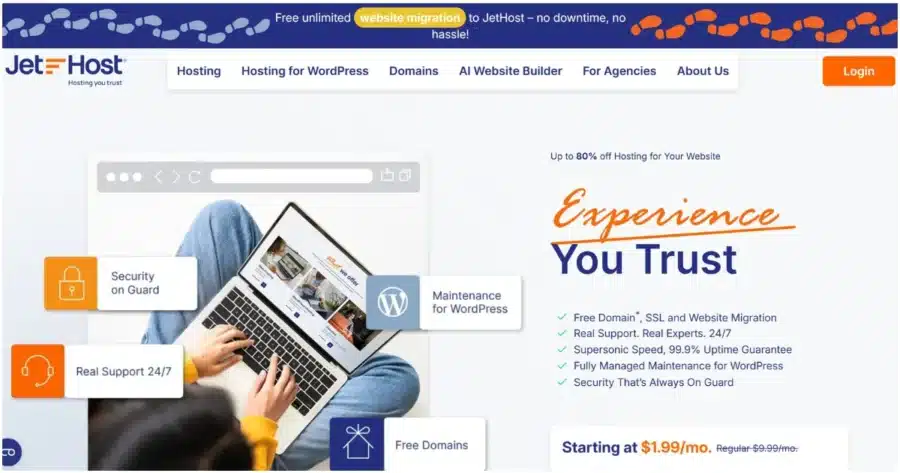
JetHost offers four hosting plans for WordPress: WP Mini, WP Start, WP Maverick, and WP Business. Every tier uses LiteSpeed technology, Redis caching, and Cloud NVMe storage, with resources increasing as you move up the range.
Site counts climb from 1 to 150, while storage ranges from 10 GB to 200 GB. A WordPress Manager brings updates, logins, backups, security, and more into a single dashboard. This lets you manage multiple client sites from one place.
Key Features
- 1 to 150 websites, 10 GB to 200 GB Cloud NVMe storage, and 15,000 to 200,000 monthly visits
- One-click staging, site cloning, and a WordPress Manager across the whole range
- Patchstack vulnerability protection, free for one domain on WP Business and $3.99/month per domain on lower tiers
- Free unlimited migration for sites and emails, handled by the JetHost team
- WP-CLI, Git, and SSH access on every plan
- AI Site Builder that drafts structure, copy, and images from your request
- JetHost AI Connector, which wires hosting controls into Claude, ChatGPT, Cursor, or Lovable
- JetHost Total Care, a free plugin covering WordPress security, privacy, and core settings
- Free Cloudflare content delivery network (CDN) setup on every plan
What to Weigh Before Choosing JetHost
JetHost offers real advantages for designers working on client projects. Free migration moves existing sites and mailboxes at no cost, so taking over a client site adds nothing to the bill.
Patchstack watches plugins and themes for known vulnerabilities, which is where WordPress attacks start. WordPress specialists answer 24/7, so an urgent launch problem reaches a person rather than a queue.
On the downside, Patchstack is not free on every plan and costs $3.99/month per domain below WP Business.
Designers who resell hosting under their own brand can take advantage of JetHost’s reseller hosting options. The plans add Web Host Manager (WHM) for managing multiple cPanel accounts, a branded client panel, CloudLinux, and Imunify360.
Web designer agencies that prefer a partnership model can also join JetHost’s Partner Program, which provides a centralized panel for managing client hosting, domains, and emails, along with discounts on their own services and commissions from client payments.
For projects that outgrow shared hosting, JetHost also offers VPS hosting.
Build better sites with hosting that keeps your client projects running smoothly.
2. SiteGround
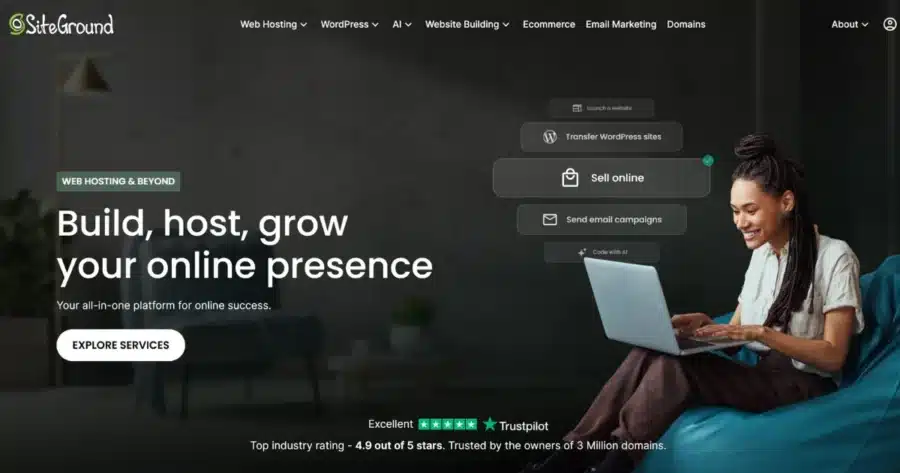
SiteGround sells three tiers, StartUp, GrowBig, and GoGeek, with the biggest differences showing up in staging, development tools, and client management. GrowBig adds staging and on-demand backups, while GoGeek adds Git and white-label client access.
Key Features
- Staging and on-demand backups from GrowBig upward
- Git and white-label client access on GoGeek, plus WP-CLI for WordPress management
- Daily automatic backups, free CDN, and email hosting on every tier
- Site Tools replaces cPanel as the hosting control panel and brings site management tools into one interface
What to Weigh Before Choosing SiteGround
SiteGround gives designers useful tools for managing client projects without adding much complexity. Staging lets you create a copy of a site to test changes before pushing them live. GoGeek’s white-label access also lets clients use Site Tools without seeing SiteGround branding.
When it comes to weaknesses, StartUp lacks staging, so designers who regularly make significant changes on client sites will need at least GrowBig. GrowBig also renews at $29.99/month, which is considerably higher than the first-year promotional rate.
3. Hostinger
Hostinger offers three main web hosting plans suitable for graphic designers: Premium, Unlimited, and Cloud Startup plans. Premium supports up to three websites, while Unlimited and Cloud Startup allow unlimited sites, making the higher tiers more practical for designers managing several client projects.
It uses a custom hPanel instead of cPanel, with a simpler interface for managing websites, domains, and hosting settings.
Key Features
- Up to 3 websites on Premium and unlimited websites on Unlimited and Cloud Startup
- WordPress staging from Unlimited upward
- AI website builder for creating a starting site from a brief
- Automatic WordPress updates on all plans
- 24/7 customer support through online channels
What to Weigh Before Choosing Hostinger
Hostinger is a strong option for designers who want to keep hosting costs low while managing multiple websites.
Unlimited removes the website cap, so adding more client sites doesn’t immediately require an upgrade because of site limits. The AI website builder can also create a starting point for a new project, giving you something to refine instead of building the initial structure from scratch.
The main trade-offs are the differences between plans and the lack of cPanel. The Premium plan doesn’t include built-in WordPress staging. hPanel is straightforward, but designers accustomed to cPanel may need some time to adjust to the different interface.
Want to compare options? See our roundup of the best Hostinger alternatives.
4. Bluehost
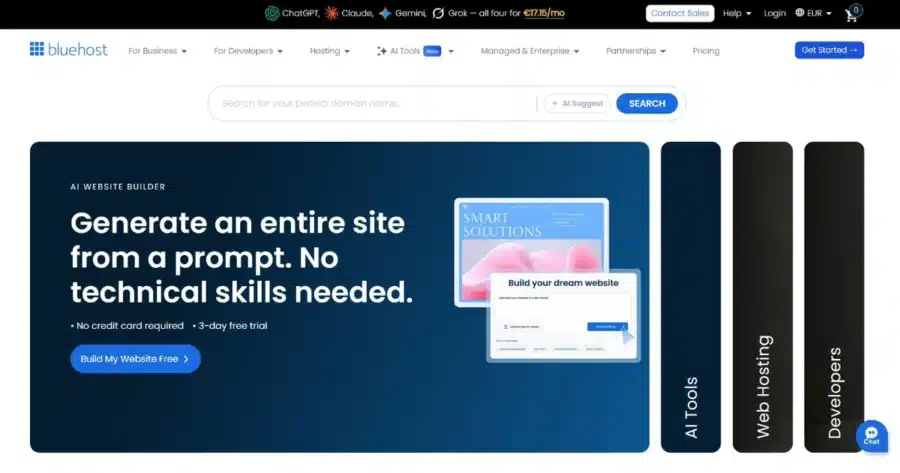
Bluehost offers three different plans for WordPress websites: Starter, Business, and eCommerce Essentials. WordPress staging is available on all three, including the entry tier, which is useful for designers who need to test changes before pushing them live.
Starter includes 24/7 chat support, while phone support starts at Business. All three plans also include a web application firewall (WAF) and DDoS protection, so security features aren’t restricted to the higher tiers.
Key Features
- WordPress staging on every plan
- Web application firewall and DDoS protection on every plan
- Free domain for the first year and a Pro Email free trial
- Managed WordPress updates
- Weekly website backups on every plan
What to Weigh Before Choosing Bluehost
Bluehost is a good fit for designers who build websites for clients but don’t manage them long-term. Automatic WordPress updates reduce the amount of routine maintenance clients need to handle themselves, while staging on every plan lets you test redesigns and plugin changes before taking them live.
The main gaps are support and backups. Starter includes 24/7 chat but no phone support, while Business and eCommerce Essentials include both. All three plans use weekly website backups, so designers making frequent changes may want to consider how that recovery schedule fits their workflow.
Bluehost lands mid-market for website hosting for web designers, and our guide to the best alternatives to Bluehost shows the rest of the field.
5. DreamHost

DreamHost runs Launch, Growth, and Scale, with generous site and traffic limits for the price. Site counts move from 25 to 100, while monthly visits climb from 40,000 to 400,000.
Key Features
- Unmetered bandwidth and unlimited free SSL certificates on every plan
- Daily automated backups and one-click restore
- Free domain registration for the first year with annual hosting
- 20 to 60 mailboxes, free for the first three months
What to Weigh Before Choosing DreamHost
DreamHost earns its place among the best web hosting for designers on price. It also gives designers plenty of room to manage multiple client sites. Unmetered bandwidth can help absorb traffic spikes without overage fees, while the higher plans support more websites and higher monthly visit levels.
But it also has limits. Email is free for only three months on these plans, after which you must pay for it. One-click staging and a free CDN are included with DreamPress plans, DreamHost’s separate managed WordPress range.
6. HostGator
HostGator’s WP hosting plans are Baby, Business, and Pro. Site counts run from 20 to 100, while storage increases from 20 GB to 100 GB of SSD storage. HostGator also provides phone and chat support across the three tiers.
Designers familiar with cPanel won’t have to learn a new hosting control panel, which makes site handovers more straightforward.
Key Features
- Unmetered bandwidth on all plans
- 20 to 100 websites and 20 to 100 GB of SSD storage
- 24/7 phone and chat support
- WordPress pre-installation and Cloudflare CDN
What to Weigh Before Choosing HostGator
HostGator earns its place on access to human support. Phone and chat support are available across all three tiers, giving designers an option to talk through an urgent client problem rather than relying only on a ticket.
Storage is worth considering if you’re managing large, image-heavy portfolios. HostGator uses SSD storage on these WordPress plans rather than NVMe, although SSD is still sufficient for many typical portfolio and business sites.
Renewal pricing is also significantly higher than the introductory rate. For example, Business currently renews at $21.99/month, instead of $6.25/month.
Our roundup of the best alternatives to HostGator shows what else covers the same ground.
How to Pick the Right WP Hosting Plan for Web Designers
Choosing hosting for WordPress for web designers comes down to eight checks:
- Start with the number of client sites you expect to operate twelve months from now, not today.
- Check that staging appears on the tier you plan to buy, since several providers reserve it for higher plans.
- Read the renewal price before the introductory one because year two is when the real cost shows up.
- Confirm the host migrates your existing client sites for free, and ask whether that covers email.
- Look at backup frequency since weekly backups leave a seven-day gap you cannot fill.
- Compare hosting plans on staging, migration, and site count first, then look at storage. Most designers don’t need cloud hosting, and shared hosting carries a portfolio of brochure sites without strain.
- Test how responsive support is, and whether the provider includes a phone number. Downtime on a client site is your reputation, not theirs. Good customer support saves the most time on the worst days.
- Check for managed hosting for WordPress if you’d rather spend your hours on design than on updates. The right hosting company for a solo designer differs from the right one for a ten-person studio. If you run an agency rather than a solo practice, take a look at this selection of hosting for WordPress for agencies.
The Bottom Line
JetHost leads this list for hosting for WordPress for web designers. Staging, free migrations, and room for 100 client sites arrive without a separate upgrade.
SiteGround and Hostinger follow closely, while Bluehost, DreamHost, and HostGator each cover a narrower need.
Match the plan to the client load you expect next year, not the one you carry this month. Then read the renewal price before you sign because that is the number you pay from year two onward.
Want a host that moves your client sites for you, at no cost?
FAQ
Do designers need a managed plan or will regular hosting do?
Not necessarily. You can run WordPress on standard web hosting, but managed WP hosting typically includes extra tools and services designed specifically for WordPress, such as staging, automatic updates, and WordPress-aware support. Those three features save designers hours per client site, which justifies the price difference for most practices.
How many client sites fit on one hosting plan?
Most mid-tier plans on this list support between 50 and 100 client sites under a single account. For example, JetHost WP Business permits up to 150, while SiteGround and Hostinger remove these limits entirely for their higher tiers. It’s important to note that storage and monthly visitor allowances may be reached before the site count limit, so be sure to check those figures as well.
What is the single most important hosting feature web designers need to look for?
Staging is the feature designers need, as it lets you test a redesign safely. The best web hosting for web designers pairs staging with free migrations. Plans that deliver both have the best value.


Top articles
Our Picks
- 6 minutes read
7 Signs It’s Time to Switch Your Web Hosting Provider
Most people don’t think about their hosting until something breaks. But if your website has been acting up – slower pages, random errors, or unreliable support – it might be…
- 4 minutes read
eDesign Interactive on Pressure, People & Creativity
Client: George, CEO of eDesign Interactive Industry: Web Design, Digital Strategy & Interactive Marketing Website: edesigninteractive.com Relationship: Long-time collaboration with the team behind JetHost
- 2 minutes read
Case Study: How SEO Rush Got 5x Faster with JetHost
Client: SEORUSH Industry: SEO & Digital Marketing Website: seorush.org Service: JetHost WordPress Hosting When you run an SEO agency, your website needs to perform as well as the results you…
Related Posts
 8 minutes read
Weebly Shutting Down: 6 Alternatives to Migrate Your Site To
Weebly is shutting down in 67 countries. If you’re affected, you need to move your site to a new platform by December 26, 2026. Consider these alternatives: JetHost, Wix, Squarespace,…

- 3 minutes read
10 best File Transfer Protocol (FTP) clients
Everyone who runs a website ends up needing one: a good FTP client. It is the app that moves files between your computer and your server – and the difference…
- 13 minutes read
Top 8 Hosting Providers for WordPress for Educational Institutions: From Schools to Universities
The best hosting for WordPress for education websites includes JetHost, Hosting.com, SiteGround, Bluehost, and DreamHost, followed by Hostinger, HostGator, and WPX.